29
Part. 14000001 Rev. 04//2021 ®/™ ©2021 Unity Laundry Systems. All rights reserved.
8.0 SETTING WASH PROGRAM PRICES
Esc Enter
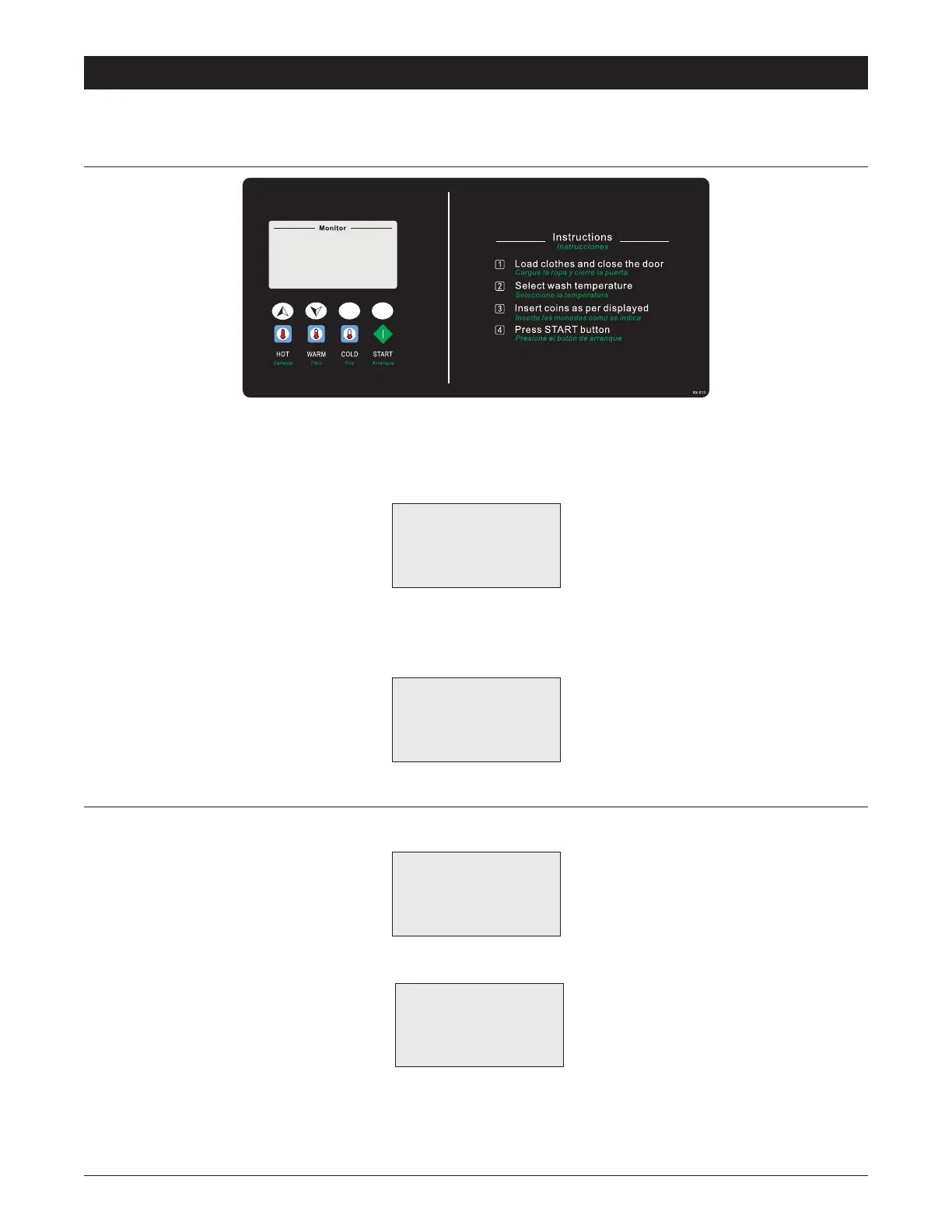
Note: the key function as shown in the gure.
On initial power up, the machine is in countdown mode for 10 seconds. During the countdown, press [Up]+[Down] to enter the
“Function Menu”. Then select “Program Price”, press the key [Enter].
Function Menu
Program Price
Other
<Esc>3S=Quit
Enter the user password to have access to the “Program price” menu.
The default password is ↓ ↓ ↓ ↓ ↓ ↓ ↓ ↓ (warm warm warm warm warm warm warm warm) (2 2 2 2 2 2 2 2).
Program Price
1:Program Price
2:Current Time
<Esc>3S=Quit
8.1 PROGRAMMING THE PRICE
1. Select “Program Price” to enter the “Program Price” menu.
1:Price Type
2:StandardPrice
<Esc> = Quit
2. Tosetpricesforspecicdaysandhours,select“PriceType”.
1:DAYS:V HOUR:X
2:DAYS:V HOUR:X
3:DAYS:V
HOUR:X
4:DAYS:V
3.0 Press [Enter] to switch the setting items.
“V” means “use”, “X” means “not use”. “1”“2”……“7” mean “Monday”,”Tuesday”……”Sunday”, respectively.
PROGRAMMING PRICE - VENDED MODEL ONLY


 To Next Page