www.mynevo.com 17
Settings
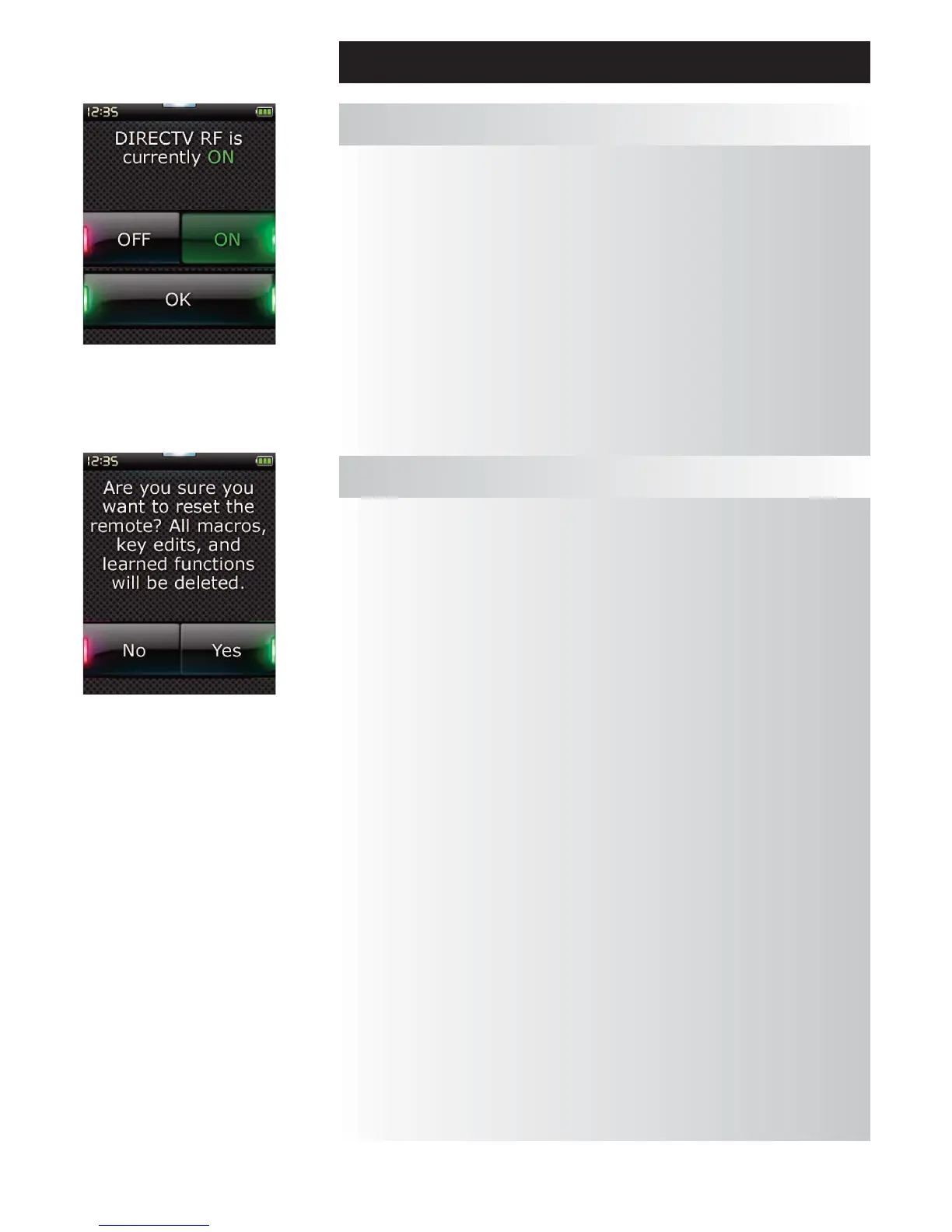
NevoC3 supports RF control using a Nevo REX-433 RF Extender and direct RF control of your DirecTV set
top box without using the Nevo REX-433 RF Extender. This RF capability allows you to control a DirecTV
box that is located in a cabinet or is hidden out of sight.
To setup this feature, please follow these simple steps:
On the DirecTV box, enable RF (see your DirecTV documentation for more information).
Note: Once enabled for RF control, IR control will be disabled.
On NevoC3:
1) Add your DirecTV box using the Add Device flow described above.
2) Select DirectTV RF from the Settings menu.
3) Enter the 6 digit DirecTV RF code (see your DirecTV documentation for more information).
4) Test the power or channel buttons to ensure proper RF operations.
5) Select “Finish”.
DirecTV® RF On/Off (NevoC3 only)
The reset screen will delete all learned functions and labels.
Devices, Activities and Favorites you have added will remain in the remote menu.
1) Select “RESET” from the Settings menu. The remote will display the Reset Screen.
2) Click “RESET”. All Learning and Labels will be deleted, and the screen will return to the Settings
Screen.
Reset






 To Next Page