33
T
T
y
y
p
p
e
e
i
i
n
n
S
S
e
e
c
c
t
t
i
i
o
o
n
n
T
T
i
i
t
t
l
l
e
e
M
X
9
8
0
C
O
L
O
R
L
C
D
R
E
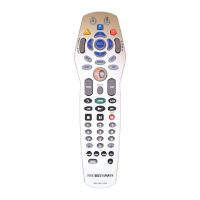
M
O
T
E
the connection,
but it will not recognize new MX-6000s.
A
A
l
l
w
w
a
a
y
y
s
s
c
c
h
h
o
o
o
o
s
s
e
e
N
N
o
o
-
-
T
T
h
h
i
i
s
s
i
i
s
s
b
b
e
e
s
s
t
t
f
f
o
o
r
r
i
i
n
n
s
s
t
t
a
a
l
l
l
l
e
e
r
r
s
s
, as you will be programming multiple MX-6000's.This is
considered a "Guest" partnership. Each time that the MX-6000 is plugged in, it will open the get connected
window and the programmer will need to click "No" to establish a connection with the MX-6000.
After clicking No, the Microsoft ActiveSync Window will open and show that a "Guest" connection has
been established.
KKeeeepp YYoouurr DDaattaabbaassee UUpp ttoo DDaattee —— UUSSEE LLIIVVEE UUPPDDAATTEE
CCP includes a vast library of IR codes for hundreds of brands and models of A/V components.This database is con-
stantly growing with the inclusion of new devices every month. Keep your software up to date by using the Live
Update feature. Rather than un-installing and re-installing the software, you download updates to the software from
the internet. Simply follow these steps:
1
1
C
C
o
o
n
n
n
n
e
e
c
c
t
t
t
t
o
o
t
t
h
h
e
e
I
I
n
n
t
t
e
e
r
r
n
n
e
e
t
t
n
n
o
o
r
r
m
m
a
a
l
l
l
l
y
y
.
.
2
2
O
O
p
p
e
e
n
n
C
C
C
C
P
P
.
.
3
3
F
F
r
r
o
o
m
m
t
t
h
h
e
e
C
C
o
o
m
m
m
m
u
u
n
n
i
i
c
c
a
a
t
t
i
i
o
o
n
n
s
s
M
M
e
e
n
n
u
u
,
,
s
s
e
e
l
l
e
e
c
c
t
t
L
L
i
i
v
v
e
e
U
U
p
p
d
d
a
a
t
t
e
e
.
.
4
4
I
I
n
n
t
t
h
h
e
e
L
L
i
i
v
v
e
e
U
U
p
p
d
d
a
a
t
t
e
e
w
w
i
i
n
n
d
d
o
o
w
w
,
,
c
c
l
l
i
i
c
c
k
k
o
o
n
n
“
“
O
O
K
K
”
”
t
t
o
o
s
s
t
t
a
a
r
r
t
t
t
t
h
h
e
e
u
u
p
p
d
d
a
a
t
t
e
e
p
p
r
r
c
c
o
o
e
e
s
s
s
s
.
.
T
T
h
h
e
e
p
p
r
r
o
o
c
c
e
e
s
s
s
s
w
w
i
i
l
l
l
l
a
a
u
u
t
t
o
o
m
m
a
a
t
t
i
i
c
c
a
a
l
l
l
l
y
y
c
c
l
l
o
o
s
s
e
e
C
C
C
C
P
P
.
.
5
5
W
W
a
a
i
i
t
t
f
f
o
o
r
r
t
t
h
h
e
e
p
p
r
r
o
o
g
g
r
r
e
e
s
s
s
s
w
w
i
i
n
n
d
d
o
o
w
w
t
t
o
o
i
i
n
n
d
d
i
i
c
c
a
a
t
t
e
e
“
“
U
U
p
p
d
d
a
a
t
t
e
e
D
D
o
o
n
n
e
e
”
”
,
,
t
t
h
h
e
e
n
n
c
c
l
l
i
i
c
c
k
k
o
o
n
n
“
“
O
O
K
K
”
”
.
.
6
6
C
C
C
C
P
P
i
i
s
s
a
a
u
u
t
t
o
o
m
m
a
a
t
t
i
i
c
c
a
a
l
l
l
l
y
y
r
r
e
e
s
s
t
t
a
a
r
r
t
t
e
e
d
d
a
a
n
n
d
d
r
r
e
e
a
a
d
d
y
y
t
t
o
o
g
g
o
o
.
.
T
T
h
h
e
e
r
r
e
e
i
i
s
s
n
n
o
o
n
n
e
e
e
e
d
d
t
t
o
o
r
r
e
e
s
s
t
t
a
a
r
r
t
t
W
W
i
i
n
n
d
d
o
o
w
w
s
s
.
.
I
I
n
n
s
s
t
t
a
a
l
l
l
l
i
i
n
n
g
g





 To Next Page