
 Need help?
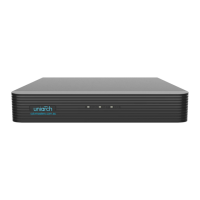
Do you have a question about the UNIVIEW NVR201-04EP and is the answer not in the manual?
Explains formatting and symbols used in the manual.
Defines important icons like WARNING, CAUTION, and NOTE.
Initial setup and considerations before operating the NVR locally.
Step-by-step guide for setting up the NVR for the first time.
Managing and setting up connected IP cameras.
Configuring different recording modes and schedules.
Methods for searching and playing back recorded video footage.
Setting up network parameters for NVR connectivity.
Steps to log in to the NVR's web interface.
Viewing live video streams through the web interface.
Accessing and managing recorded video via the web interface.
 General
| Model | NVR201-04EP |
|---|---|
| Channels | 4 |
| Recording Resolution | Up to 8MP |
| Hard Drive Support | 1 SATA interface |
| PoE Ports | 4 |
| PoE Standard | IEEE802.3af/at |
| Video Compression | H.265/H.264 |
| Network Interface | 1 RJ-45 10/100 Mbps Ethernet port |
| Power Supply | DC 48V |
| Video Output | 1 HDMI, 1 VGA |
| Max Playback | 4 channels |
| USB Interface | 2x USB 2.0 |
| Power Supply (PoE) | DC 48V |
| Power Consumption | ≤ 10W (without HDD or PoE load) |
| Operating Temperature | -10°C to 55°C |
| Operating Humidity | 10% to 90% |
| HDMI Output | 1920×1080, 1280×1024, 1280×720 |
| VGA Output | 1920×1080, 1280×1024, 1280×720 |


 To Next Page