
 Need help?
Do you have a question about the UNIVIEW NVR202-16EP and is the answer not in the manual?
Explains formatting, symbols, and general rules for manual usage.
Defines common icons and their meanings used throughout the manual.
Initial steps and important information before operating the NVR.
Guided setup for basic NVR configuration and initial parameters.
Viewing live camera feeds, managing display layouts, and image settings.
Connecting, adding, and managing IP cameras and their settings.
Operating PTZ cameras, setting presets, and configuring patrol routes.
Configuring and managing video recording modes and schedules.
Retrieving, searching, and viewing recorded video footage.
Saving recordings, images, and system data to external storage.
Configuring and managing alarm triggers like motion and tampering detection.
Setting up network connectivity, IP addresses, and remote access.
Adjusting system-wide settings, user management, and time.
Performing system checks, upgrades, restorations, and log queries.
Procedures for safely powering down the NVR unit.
Introduction to accessing and using the NVR via a web browser.
Process for accessing the NVR's web interface.
Monitoring live camera feeds through the web interface.
Reviewing recorded video footage via the web interface.
 General
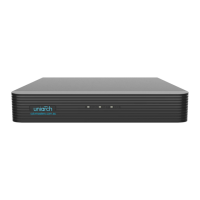
| Model | NVR202-16EP |
|---|---|
| Channel Capacity | 16 channels |
| Max Resolution | 8MP |
| Video Output | HDMI, VGA |
| Two-way Audio | Supported |
| Decoding Format | H.265, H.264 |
| Hard Drive | 2 SATA interfaces |
| Video Input | 16 channels |
| Storage Capacity | Up to 10TB for each HDD |
| Protocols | ONVIF |
| HDMI Output | 1 HDMI |
| VGA Output | 1 VGA |
| Audio Output | 1 channel RCA |
| Audio Input | 1 channel RCA |
| Recording Resolution | 8MP |
| Playback Resolution | 8MP |
| HDD Capacity | Up to 10TB for each HDD |
| Network Interface | 1 RJ-45 10/100/1000 Mbps |
| USB Interface | 2 x USB 2.0 |
| PoE | Supports 16 ports |
| Power Consumption | ≤15W (without HDD and PoE) |
| Operating Temperature | -10°C to +55°C (14°F to 131°F) |
| Operating Humidity | 10% to 90% |


 To Next Page