
 Need help?
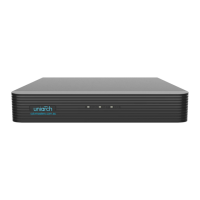
Do you have a question about the UNIVIEW NVR202-08EP and is the answer not in the manual?
Describes the guided setup wizard for basic NVR configuration.
Procedures for managing IP camera channels connected to the NVR.
Configuring video encoding parameters like resolution, bitrate, and frame rate.
Setting up a schedule for automatic video recording.
Configuring the NVR to record video when motion is detected by cameras.
Saving video recordings from the NVR's hard disk to an external storage device.
Setting up and configuring alarm input/output ports and their behavior.
Configuring essential network settings like IP address, subnet mask, and gateway.
Adjusting basic system parameters like device name, language, and startup wizard.
Steps to log in to the NVR using a web browser.
Viewing live video streams through the NVR's web interface.
 General
| Brand | UNIVIEW |
|---|---|
| Model | NVR202-08EP |
| Category | Network Hardware |
| Language | English |


 To Next Page