15
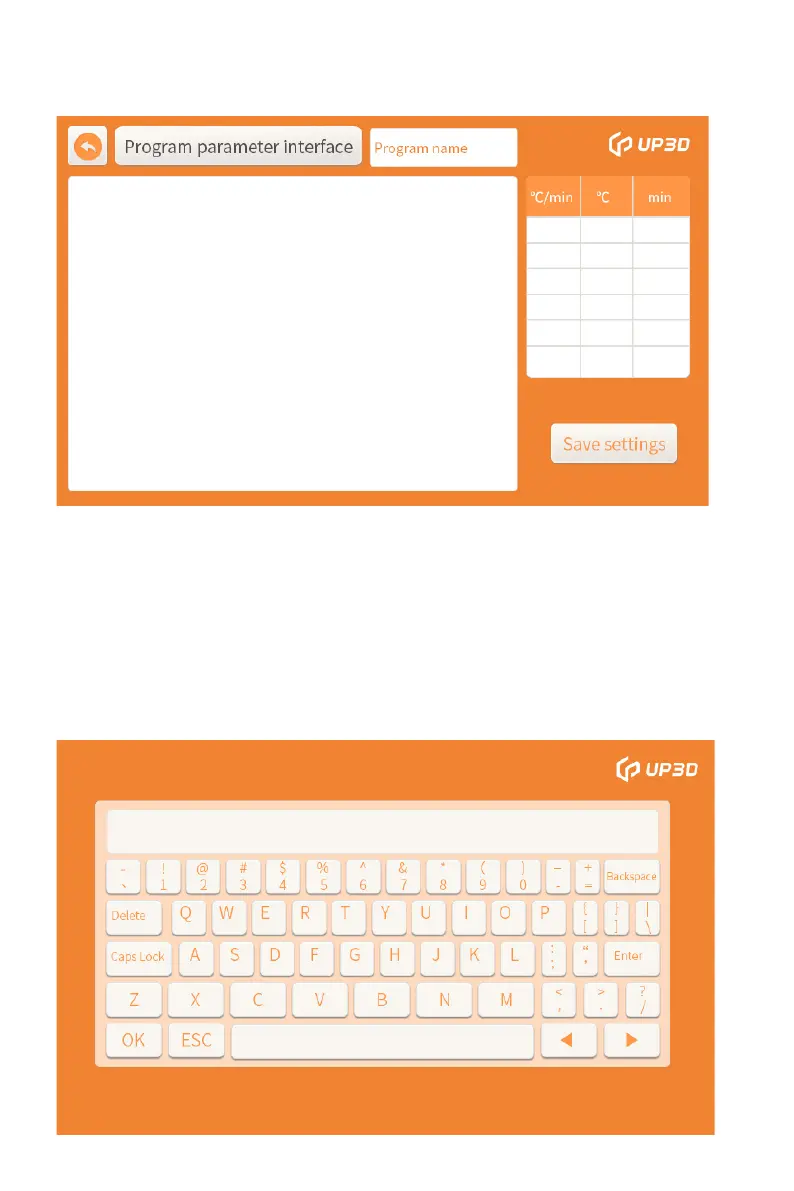
If the 6-digit password is correct, you can enter the program
parameter interface where parameters can be edited.
Click the program name box, an alphabetic keyboard box will
pop up, click the CAPSLOCK box to switch between
Chinese and English input, switch to Chinese to input Pinyin,
and click the left and right switching buttons to turn
pages. Find the required text and click, you can enter the text,
repeat the above operations to input the program name, and
click OK to complete the input of the program name. Note that
the program name can only input 7 Chinese or 14 English letters.


 To Next Page