Section 7
Thermostat Operation
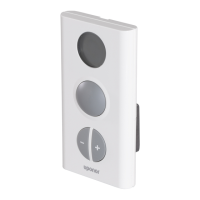
Thermostat T-75 Display
LCD Display Denition
Display of temperatures and menus
Displayed when setting the room
temperature
Displayed during radio transmission
Temperature format for the display
Low-battery indication
Changing the Temperature Format
1. Simultaneously press the (+) and (-) keys for
10 seconds.
The radio transmission icon displays, conrming that
the setpoint has been recorded and sent. The display
returns to show measured room temperature.
To bring the temperature to default
setpoint, briey press the (+) and (-)
keys simultaneously.
Default Display
(indication of room temperature)
Setting the Heat Demand Management
1. Uponor screen
> Main Menu > Settings > System
Parameters
> Heat Demand Management
2. Choose Common or Individual.
> Press OK.
A common pump relay must
not be connected to more than one base unit.
Setting the Exercise Setup
Schedule a weekly ve-minute activation to maintain the
functionality of the valves and pumps.
1. Uponor screen
> Main Menu > Settings > System
Parameters
> Valve/Pump Exercise
2. Select the preferred parameter.
> Press OK.
3. Set the day and time for
the exercise.
> Press OK.
Installation Inspection
Completely check the installation.
1. Review Base Unit Installation Section.
• Conrm that the interface and thermostats
are powered.
• Check the interface for alarms.
2. Close the base unit cover.
3. Complete the installation report in Section 12.
4. Give this manual and all information about the system
to the user.
Alarms
To diagnose and resolve alarms, see
Section 11: Troubleshooting.
1. Uponor screen
> Main Menu > Information > Alarms
> All Alarms
2.
> Clear alarm list.
3.
> Press OK.
Make sure you have resolved all the alarms
before clearing the list.
Resetting the Interface
Should an error occur and the interface is not functioning
normally, restart the system.
Briey press the reset button. New installation and
registration is not necessary, but the time and date must
be reset.



 To Next Page