Urive HIT ... 23 ... User's Guide
09
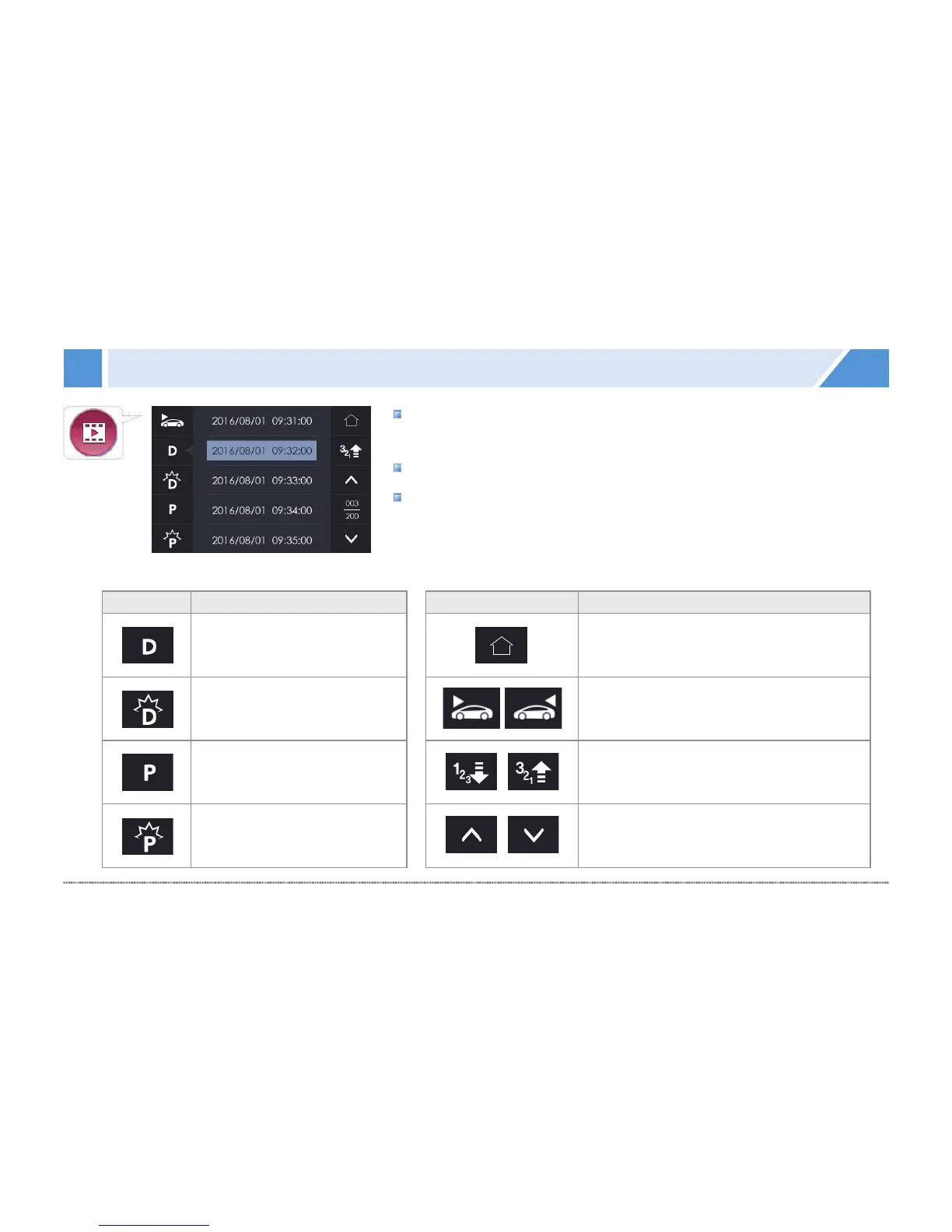
GUI - Image view
Icon Meaning
Drive video list
Event video list
Parking motion video list
Parking impulse video list
Icon Meaning
Shifts to the real-time view;
starts to save a video
Front·Rear video selection You can
set the direction of the video. Touch this
icon to change it to another direction.
Ascending/descending order
Touch the icon to toggle it.
Page up/down in the file list
#
Video list: You can check the drive, event, parking motion, and
parking impulse video list, and play them back.
#
In the video list menu, video recording is stopped.
#
With no action for 2 minutes, it shifts to the real-time view.


 To Next Page