sec.5
−−−−
17
ONE-FAMILY AND TWO-FAMILY KITS
DOOR PHONE AND VIDEO DOOR PHONE SYSTEM: Product Technical Manual
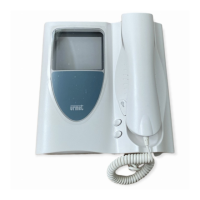
VIDEO DOOR PHONE
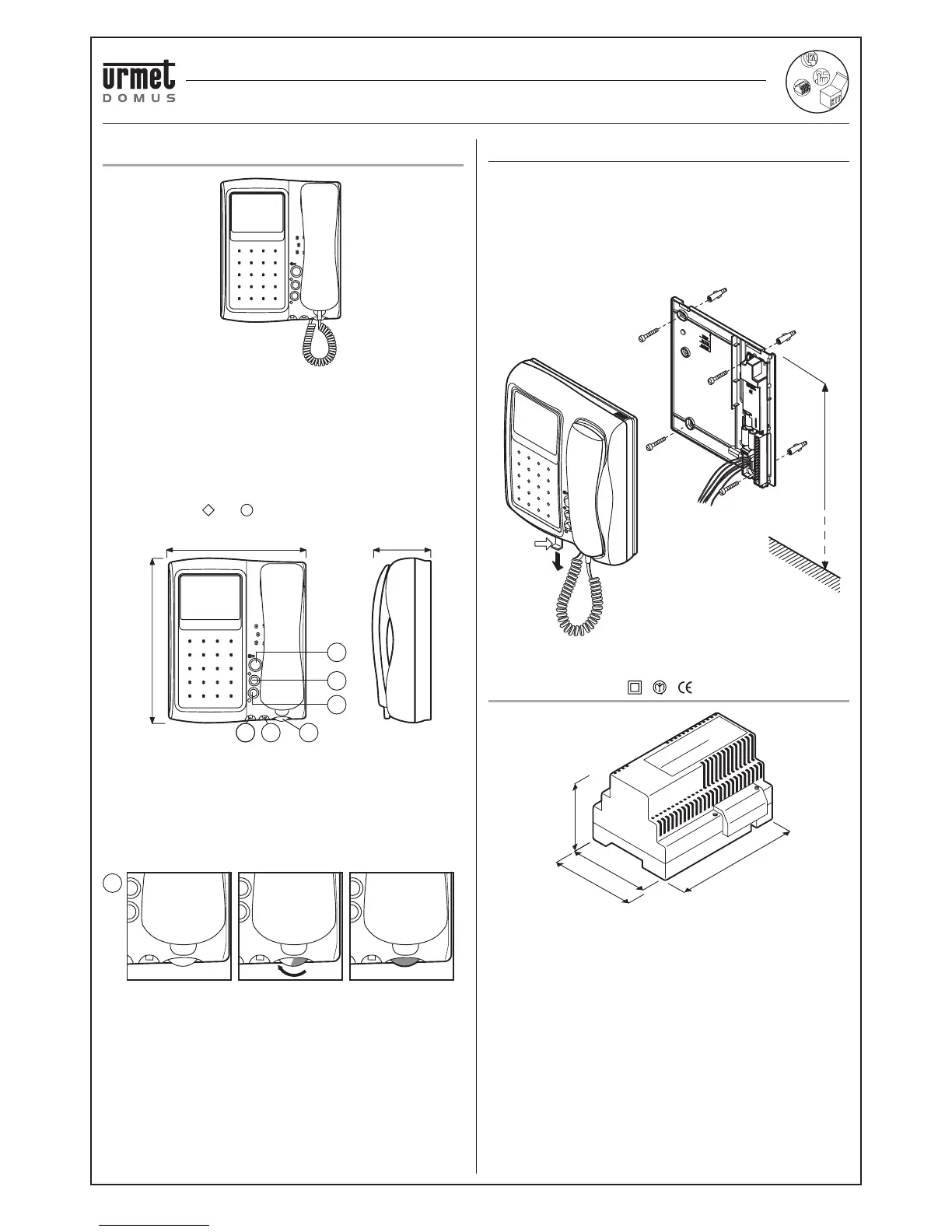
The main characteristics of the video door phone are:
• Flat 4” video module
• Adjustable and mutable call volume. The adjustment wheel appears
red when the volume is muted.
Note: when volume is set to “MUTE” the video door phone will not ring
but the video module will light up.
• Door opener button.
•
Service buttons
( and
)
.
• Adjustable brightness and contrast.
A Door opener button.
B1 Auxiliary button: used for special functions.
B2 Auxiliary button: used for special functions.
C Contrast/colour adjustment control.
D Brightness adjustment control.
E Call volume control and adjustment: turn the knob as far as it
will go (red part visible) to mute the call tone (“MUTE” function).
INSTALLATION
1) Prepare the conduit so that it terminates at the infeed hole
provided.
2) Use 4 plugs to fasten the bracket to the wall at the height from the
fl oor indicated.
3) Connect the wires to the specifi c terminals.
4) Extract the fastening hook A.
5) Insert the video door phone in the bracket.
6) Fasten the video door phone in place pushing hook A inwards.
POWER SUPPLY
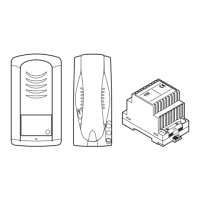
The power supply unit provides power to the entire system. It is
connected to the monitor by means of two wires. It can be wall-fi tted or
fi tted on DIN bar.
The power supply unit must be installed in dry places protected from
weather conditions.
126mm in length correspond to seven 18mm modules, as per DIN
43880 standard.
200 mm
241 mm
83 mm
A
B1
B2
C D E
MUTE
E
126 mm
75 mm
90 mm
96 mm
A
1,55 m
ONE AND TWO-FAMILY VIDEO KIT Mod. 956 WITH ARTICO VIDEO DOOR PHONE
VIDEO DOOR PHONE - POWER SUPPLY
ONE AND TWO-FAMILY VIDEO KIT Mod. 956 WITH ARTICO VIDEO DOOR PHONE



 To Next Page