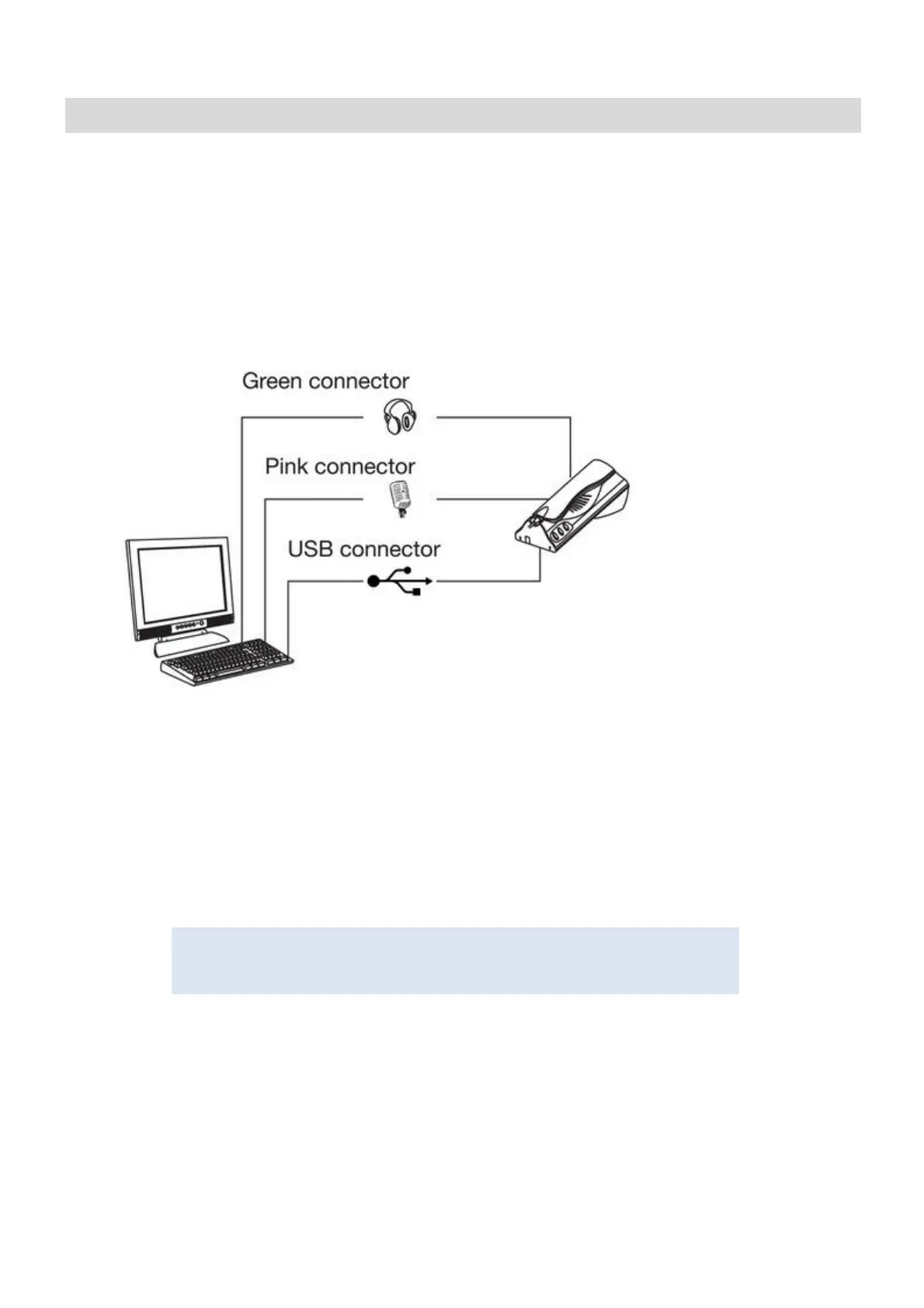
Plug the loudspeaker connector (green connector) into the PC loudspeaker output
Plug the microphone connector (pink connector) into the PC microphone output
Plug the USB connector into a spare USB port on the PC
Internal connection –
S+ S- Connection for 1072/59 External Sounder
It is not necessary to install driver software for the 1060/41 Switchboard Handset.
Installation starts automatically when the USB connector is plugged into the PC.





 To Next Page