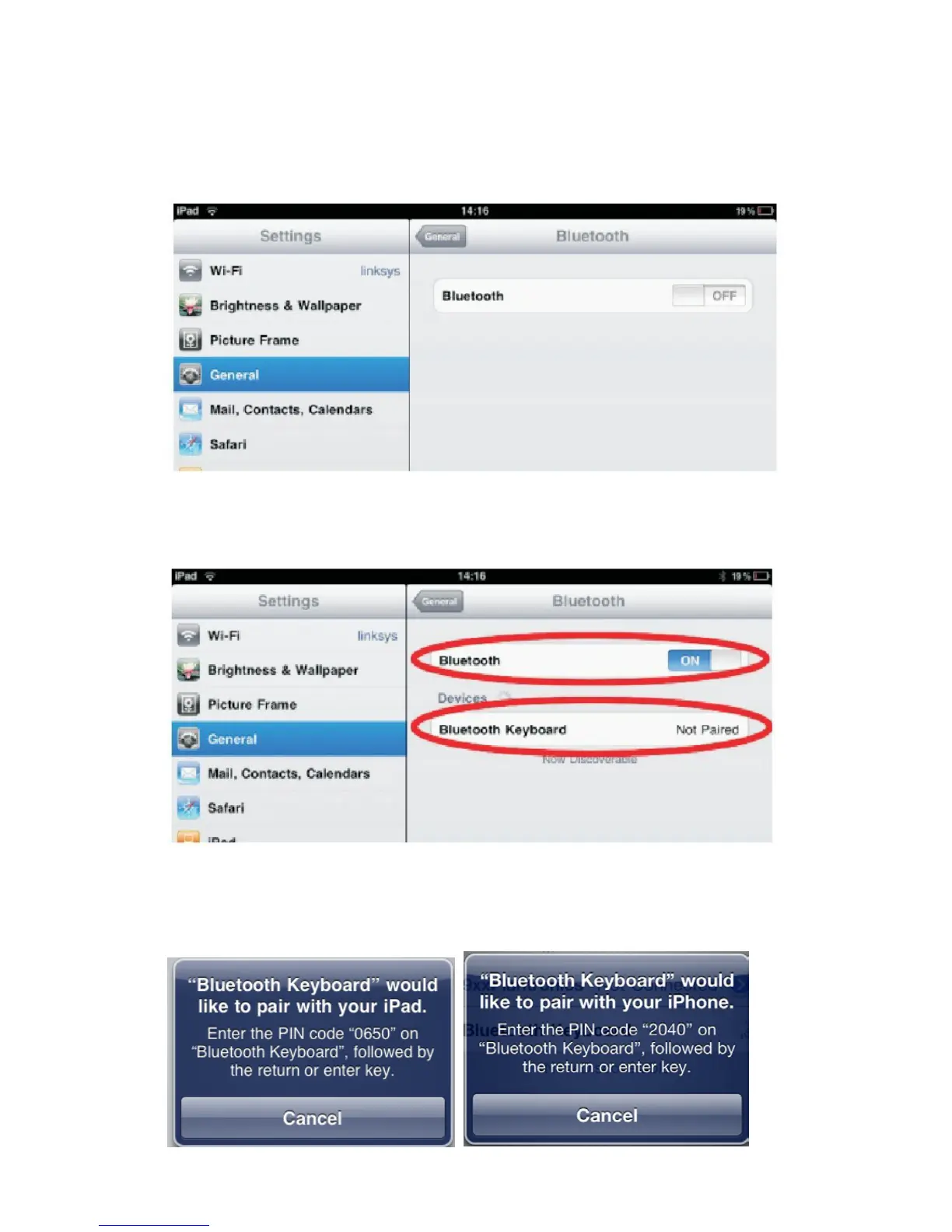
Connect with iPad/iPhone
1. Prepare the keyboard for pairing by turning it on and pressing the
pair button.
2. On your iPad/iPhone, go to Settings then select General.
3. Turn Bluetooth ON, it will start searching for Bluetooth devices.
4. When the system finds the keyboard, select Bluetooth Keyboard.
5. A random Bluetooth passkey or pin will be provided by your
system. Type this number onto the keyboard, and press Enter to
complete the pairing.
6. Now the keyboard is successfully connected with your iDevice.



 To Next Page