IM 50.560CA UA (B/4-03) 27
DEPOLOX
®
3 PLUS RESIDUAL ANALYZER
Display next menu (jump from menu title to menu title)
ENTER - change into change mode (“>” is displayed before
the value), - save new setting.
NOTE: Check that any alterations have been ENTERED before ex-
iting the menu. Protect the menus from unauthorized operation with
a code number of your choice (1 to 999) (refer to paragraph 3.1.3,
Code Number).
Press the keypads only with the fingers, do not use hard or pointed objects
like pencils, etc., as these could damage the sealed keypad.
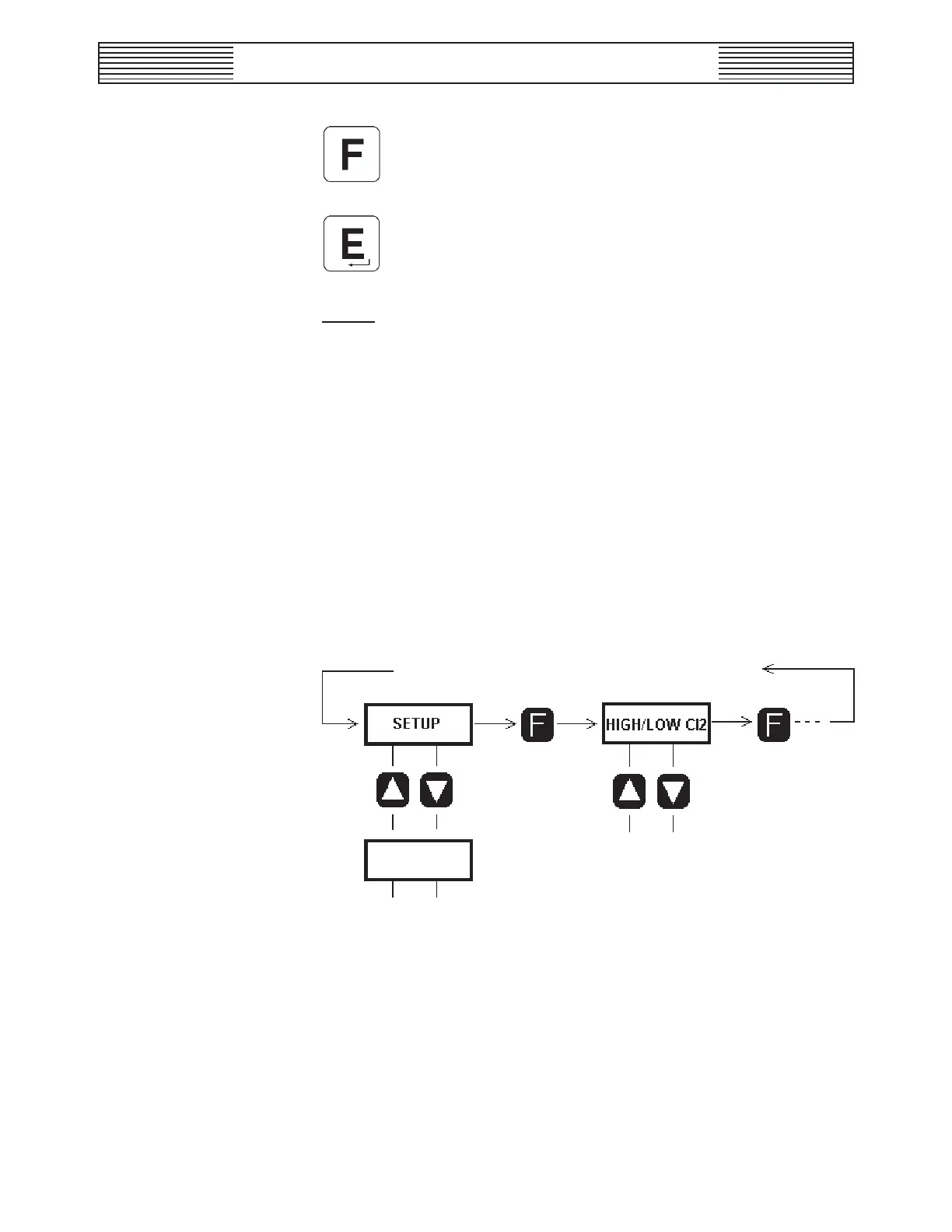
3.1.2.2 Selecting the Menus
• From the basic display, access to the other menu paths is achieved by
pressing the F key.
• Sub menus are accessed using the keys ▲ and ▼. To exit from a sub
menu to a main menu and then to the basic display press the ● key.
Figure 3.2 - Menu Selection
3.1.2.3 Changing the Settings
a. Select the menu to be changed.
b. Press the E key, “>” is displayed.
c. Using the arrow keys increase or decrease the value or skip to the
next selection.
Range DIS



 To Next Page