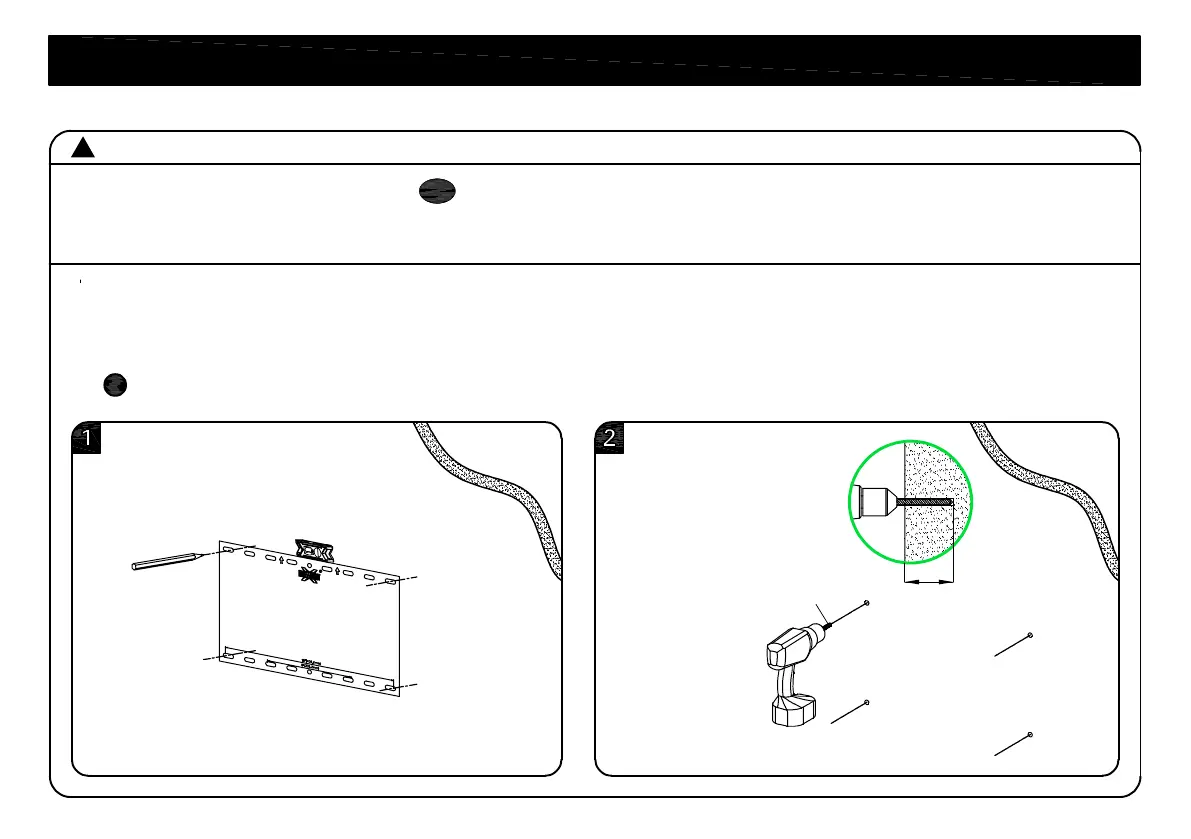
3/8"
(10mm)
2.36"(60mm)
CAUTION: Avoid potential personal injury or property damage!
● Mount the wall plate assembly directly onto the concrete surface
● Minimum solid concrete thickness: 8 in. (203 mm)
1. Position the mounting template on the wall at your desired height. Level the wall plate and mark the
hole locations.
2. Drill four pilot holes using a 3/8 in. (10 mm) diameter masonry drill bit.
IMPORTANT: Pilot holes must be drilled to a depth of 2.36 in. (60 mm).
Mounting template
11
STEP 2B Attach Wall Plate to Solid Concrete Wall
!
!
02


 To Next Page