EasyManua.ls Logo

Utilitech 5632649 - User Manual

Utilitech 5632649
26 pages
Print Icon
To Next Page IconTo Next Page
Loading...
ITEM # 5632649
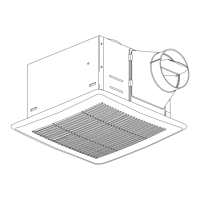
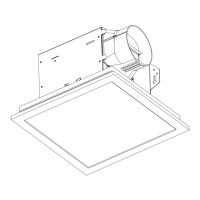
VENTILATION FAN WITH
HUMIDITY SENSOR
MODEL 7131-04
Español p. 14
SS23661
UTILITECH & logo design are trademarks or registered
trademarks of LF, LLC. All rights reserved.
08/2023
Questions, problems, missing parts? Before returning to the store, call our customer
service department at 866-994-4148, 8 a.m. - 8 p.m., EST, Monday - Sunday. You could also
contact us at ascs@lowes.com.
READ AND SAVE THESE INSTRUCTIONS
ATTACH YOUR RECEIPT HERE
Serial Number
___________________________
Purchase Date
___________________________

Questions and Answers

Summary

Safety Information and Precautions

General Safety Guidelines

Essential safety rules for installation, operation, and servicing, including electrical and venting guidelines.

Critical Installation Warnings

Key warnings regarding fire, shock, proper wiring, clearances, and specific installation locations like tubs/showers.

Preparation and Pre-Installation Steps

Pre-Assembly Checklist and Tools

Steps to verify parts, estimate time, and list required and helpful tools before starting installation.

Installation Site Preparation

Crucial checks for wiring, ductwork, and planning for future maintenance access prior to installation.

New Construction Installation

Pre-Installation Checks

Ensuring power is off and preparing the fan housing for mounting, including attaching the duct connector.

Mounting and Wiring

Securing the fan housing to joists/studs and making electrical connections using provided connectors.

Ducting and Grille Attachment

Connecting the ductwork to the fan and attaching the grille, followed by power-on testing.

Existing Construction Installation

Removing Old Fan and Measuring Opening

Steps to remove the existing fan and measure the opening to ensure compatibility with the new fan housing.

Fan Housing Preparation and Mounting

Attaching the duct connector, removing the motor, and preparing the wiring box for installation.

Wiring, Ducting, and Securing

Connecting house wires, ductwork, inserting the fan housing, and securing it to joists or studs.

Operating the Ventilation Fan

Humidity Sensing Mode

Using the fan with the humidity sensor, indicated by a blue LED light for automatic operation.

Adjusting Humidity Set-Point

How to adjust the relative humidity level set-point using the control on the fan housing.

Full Speed and Off Modes

Operating the fan in full speed mode (amber LED) and turning it off via the wall switch.

Care and Cleaning Instructions

Cleaning Procedures

Detailed steps for removing and cleaning the grille and fan housing, emphasizing dust removal.

Reassembly and Testing

Reattaching the grille after cleaning and turning the power back on to test the unit.

Troubleshooting Common Issues

Fan Noise and Vibration

Addressing causes for abnormal fan sound or vibration, including ducting and mounting.

Humidity Clearing Problems

Solutions for the fan not clearing humidity properly or running continuously, including sensor checks.

Summary

Safety Information and Precautions

General Safety Guidelines

Essential safety rules for installation, operation, and servicing, including electrical and venting guidelines.

Critical Installation Warnings

Key warnings regarding fire, shock, proper wiring, clearances, and specific installation locations like tubs/showers.

Preparation and Pre-Installation Steps

Pre-Assembly Checklist and Tools

Steps to verify parts, estimate time, and list required and helpful tools before starting installation.

Installation Site Preparation

Crucial checks for wiring, ductwork, and planning for future maintenance access prior to installation.

New Construction Installation

Pre-Installation Checks

Ensuring power is off and preparing the fan housing for mounting, including attaching the duct connector.

Mounting and Wiring

Securing the fan housing to joists/studs and making electrical connections using provided connectors.

Ducting and Grille Attachment

Connecting the ductwork to the fan and attaching the grille, followed by power-on testing.

Existing Construction Installation

Removing Old Fan and Measuring Opening

Steps to remove the existing fan and measure the opening to ensure compatibility with the new fan housing.

Fan Housing Preparation and Mounting

Attaching the duct connector, removing the motor, and preparing the wiring box for installation.

Wiring, Ducting, and Securing

Connecting house wires, ductwork, inserting the fan housing, and securing it to joists or studs.

Operating the Ventilation Fan

Humidity Sensing Mode

Using the fan with the humidity sensor, indicated by a blue LED light for automatic operation.

Adjusting Humidity Set-Point

How to adjust the relative humidity level set-point using the control on the fan housing.

Full Speed and Off Modes

Operating the fan in full speed mode (amber LED) and turning it off via the wall switch.

Care and Cleaning Instructions

Cleaning Procedures

Detailed steps for removing and cleaning the grille and fan housing, emphasizing dust removal.

Reassembly and Testing

Reattaching the grille after cleaning and turning the power back on to test the unit.

Troubleshooting Common Issues

Fan Noise and Vibration

Addressing causes for abnormal fan sound or vibration, including ducting and mounting.

Humidity Clearing Problems

Solutions for the fan not clearing humidity properly or running continuously, including sensor checks.

Utilitech 5632649 Specifications

General IconGeneral
BrandUtilitech
Model5632649
CategoryFan
LanguageEnglish

Related product manuals