EasyManua.ls Logo

Utilitech 7115-02 - User Manual

Utilitech 7115-02
26 pages
Print Icon
To Next Page IconTo Next Page
Loading...
Questions, problems, missing parts? Before returning to your retailer, call our customer
service department at 1-866-994-4148, 8 a.m. - 8 p.m., EST, Monday - Sunday. You could
also contact us at partsplus@lowes.com or visit www.lowespartsplus.com.
ITEM # 0831383, # 2758193, # 13687108
EASY FIT INSTALL
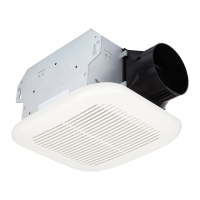
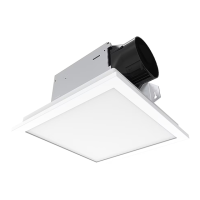
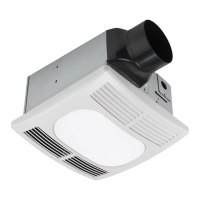
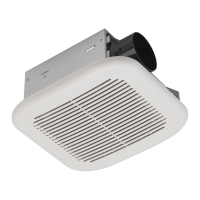
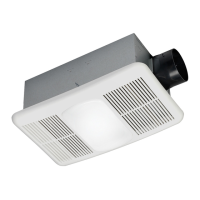
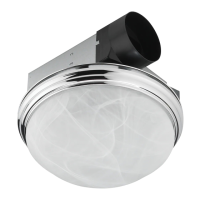
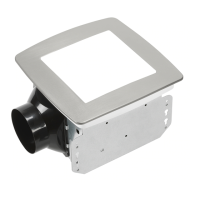
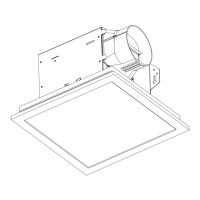
VENTILATION FAN
WITH LED LIGHT
MODEL 7115-02, 7115-02-BN, 7115-02-CH
Español p. 14
AB1740
ATTACH YOUR RECEIPT HERE
Serial Number
___________________________
Purchase Date
___________________________
TM
READ AND SAVE THESE INSTRUCTIONS

Other manuals for Utilitech 7115-02

Questions and Answers

  • J
    Joseph PowersAug 1, 2025
    What to do if my Utilitech Fan is not clearing humidity?
    • M
      Michelle ThomasAug 1, 2025
      If your Utilitech Fan isn't effectively removing humidity, it could be due to insufficient airflow in the room. Ensure a door or window is slightly open to allow airflow, as the fan needs adequate airflow to draw air out of the room. Also, check that the CFM rating of the fan matches the square footage of the room, as insufficient CFM can also cause this issue.
  • D
    Derek TaylorAug 16, 2025
    Why is my Utilitech 7115-02 so loud?
    • A
      Andrew HowardAug 16, 2025
      There are several reasons why your Utilitech Fan might be louder than expected. It could be due to an incorrect CFM rating for the room size – ensure the CFM rating matches the room's square footage. The damper might be damaged or malfunctioning; inspect it to ensure proper opening and closing, and contact Customer Service if damaged. Sharp bends in the duct close to the fan discharge (within 18 inches) can also cause noise. Using a smaller duct than recommended or the fan not being securely attached to the ceiling joists can also amplify the noise.

Summary

Preparation and Specifications

Product Dimensions and Wiring

Details fan dimensions, opening sizes, and electrical wiring guidelines.

Typical Installation Overview

Visual guide for installing the fan, ducting, and insulation.

New Construction Installation

Pre-Installation Steps

Essential safety warnings and preparation before installing in new construction.

Existing Construction Installation

Pre-Installation Steps

Safety warnings and initial steps before installing the fan in existing structures.

Troubleshooting Fan Issues

Fan Noise and CFM Issues

Addresses causes and solutions for fan noise and insufficient airflow.

Humidity Clearing Problems

Diagnoses and resolves issues related to the fan not clearing room humidity.

Limited 5-Year Warranty

Utilitech 7115-02 Specifications

General IconGeneral
Model7115-02
TypeCeiling Fan
Blade Span52 inches
Number of Blades5
Motor Speed3-speed
Reversible MotorYes
Light Kit IncludedYes
FinishBrushed Nickel
Blade MaterialWood
WarrantyLimited Lifetime
Remote Control IncludedNo
Blade ColorWalnut

Related product manuals