EasyManua.ls Logo

Utilitech 7131-03 - User Manual

Utilitech 7131-03
35 pages
Print Icon
To Next Page IconTo Next Page
Loading...
AB1741
Questions, problems, missing parts? Before returning to your retailer, call our customer
service department at 1-866-994-4148, 8 a.m. - 6 p.m., EST, Monday - Thursday,
8 a.m. - 5 p.m., EST, Friday.
ITEM #0831386
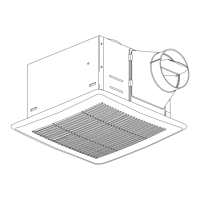
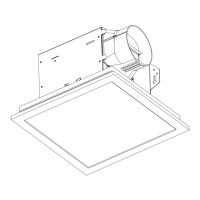
HUMIDITY SENSING
VENTILATION FAN
MODEL #7131-03
Français p. 12
Español p. 24
ATTACH YOUR RECEIPT HERE
Serial Number
_______________
Purchase Date
______________
TM
READ AND SAVE THESE INSTRUCTIONS

Questions and Answers

  • S
    Sarah WilliamsAug 5, 2025
    What to do if my Utilitech 7131-03 is not clearing the room?
    • Y
      yfloresAug 5, 2025
      If your Utilitech Fan isn't clearing the room effectively, it could be due to a couple of reasons. Make sure there's sufficient intake airflow by slightly opening a door or window; the fan needs airflow to draw from. Also, ensure the fan's CFM rating matches the room size requirements. Note that using a tissue is not an accurate method for determining if the fan is operating properly; if the fan clears steam from the room within approximately 15 minutes of completing your shower, then the fan is operating properly.
  • J
    Jared JohnsonAug 14, 2025
    Why is my Utilitech Fan so loud?
    • M
      michael37Aug 15, 2025
      If your Utilitech Fan seems louder than expected, several factors could be the cause. First, ensure that the CFM rating of the fan is appropriate for the room size. Loudness can also result from a faulty or damaged damper; inspect it to confirm it opens and closes correctly, and if damaged, contact Customer Service. Check the ductwork for sharp bends located closer than 18 inches to the fan discharge. Also, ensure that you are using the recommended duct size, as reducing the fan discharge to fit a smaller duct can increase noise. Lastly, confirm that the fan housing is securely attached to the ceiling joists.
  • B
    brett37Aug 25, 2025
    Why does my Utilitech Fan keep running?
    • L
      Lisa AndradeAug 25, 2025
      If your Utilitech Fan continues to run even when the house humidity is below 60% RH, this could be due to a couple of reasons. The sensor has a tolerance of +/- 10%. You can run the unit for continuous ventilation. Also, there is a built-in 10-minute delay after the humidity level drops below 60% RH. You can turn the fan off when not in use.

Summary

Package Contents

Hardware Contents

Safety Information

Preparation

Dimension Requirements

Specifies the required ceiling opening dimensions for installation.

Quick Connector Instructions

Provides steps for using the quick connector for wiring connections.

New Construction Assembly Instructions

Existing Construction Assembly Instructions

Installation From Below (No Attic Access)

Instructions for installing the fan when attic access is unavailable.

Installation From Above With Suspension Brackets

Instructions for installing using suspension brackets when attic access is available.

Humidity Sensing Fan Operation

Care and Maintenance

Troubleshooting

Limited 5-Year Warranty

Utilitech 7131-03 Specifications

General IconGeneral
Fan TypeCeiling Fan
Number of Blades5
Light Kit IncludedYes
Number of Lights3
Bulb TypeCandelabra
Fan Diameter (in.)52
Motor Speeds3
Remote Control IncludedYes
Blade ColorWalnut

Related product manuals