EasyManua.ls Logo

Utilitech 7105-08-L - User Manual

Utilitech 7105-08-L
24 pages
Print Icon
To Next Page IconTo Next Page
Loading...
Questions, problems, missing parts? Before returning to the store, call our customer
service department at 1-866-994-4148, 8 a.m. - 8 p.m., EST, Monday - Sunday. You could
also contact us at partsplus@lowes.com.
ITEM # 4984545
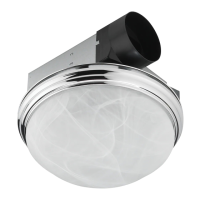
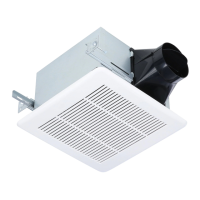
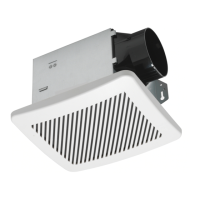
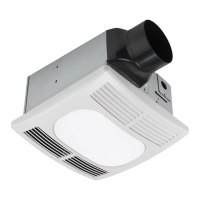
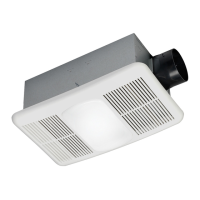
3-IN-1 DECORATIVE
VENTILATION FAN WITH
LED LIGHT
MODEL 7105-08-L
Español p. 13
READ AND SAVE THESE INSTRUCTIONS
01/2022
ATTACH YOUR RECEIPT HERE
Serial Number
___________________________
Purchase Date
__________________________
UTILITECH & logo design are trademarks or registered
trademarks of LF, LLC. All rights reserved.
AS22001

Questions and Answers

  • N
    nguyendonnaAug 4, 2025
    What to do if my Utilitech 7105-08-L is not clearing humidity from the room?
    • S
      Sheila ThompsonAug 4, 2025
      If your Utilitech Fan isn't clearing humidity, ensure sufficient airflow by slightly opening a door or window. The fan needs adequate airflow to draw air out of the room. Also, be sure the CFM rating on the fan matches the square footage of your room. Note that if the fan clears steam from the room within approximately 15 minutes of completing your shower, then the fan is operating properly.
  • J
    Jacob WrightAug 18, 2025
    Why is my Utilitech 7105-08-L Fan so loud?
    • M
      Mrs. Brittany SmithAug 18, 2025
      Your Utilitech Fan might be loud due to several reasons. First, be sure the CFM rating on the fan matches the square footage of your room. The damper might be damaged or not working properly, so check the damper to ensure it is opening and closing correctly; if damaged, contact Customer Service. Ensure there are no sharp duct bends within 18 inches of the fan discharge. Using the recommended duct size can reduce noise. Finally, confirm the fan is securely attached to the ceiling joists.

Summary

Safety Information

Preparation

Dimensions

Details the physical measurements of the fan housing and ceiling opening for installation.

Wiring

Explains electrical connections for single and two-switch setups, including warnings.

New Construction Installation Instructions

Existing Construction Installation Instructions

Care and Cleaning

Troubleshooting

Limited 5-Year Warranty

Utilitech 7105-08-L Specifications

General IconGeneral
BrandUtilitech
Model7105-08-L
TypeCeiling fan
Number of Blades5
Fan Diameter (in.)52
Blade Span52 inches
Motor Speed3-speed
Reversible MotorYes
Blade MaterialMDF

Related product manuals