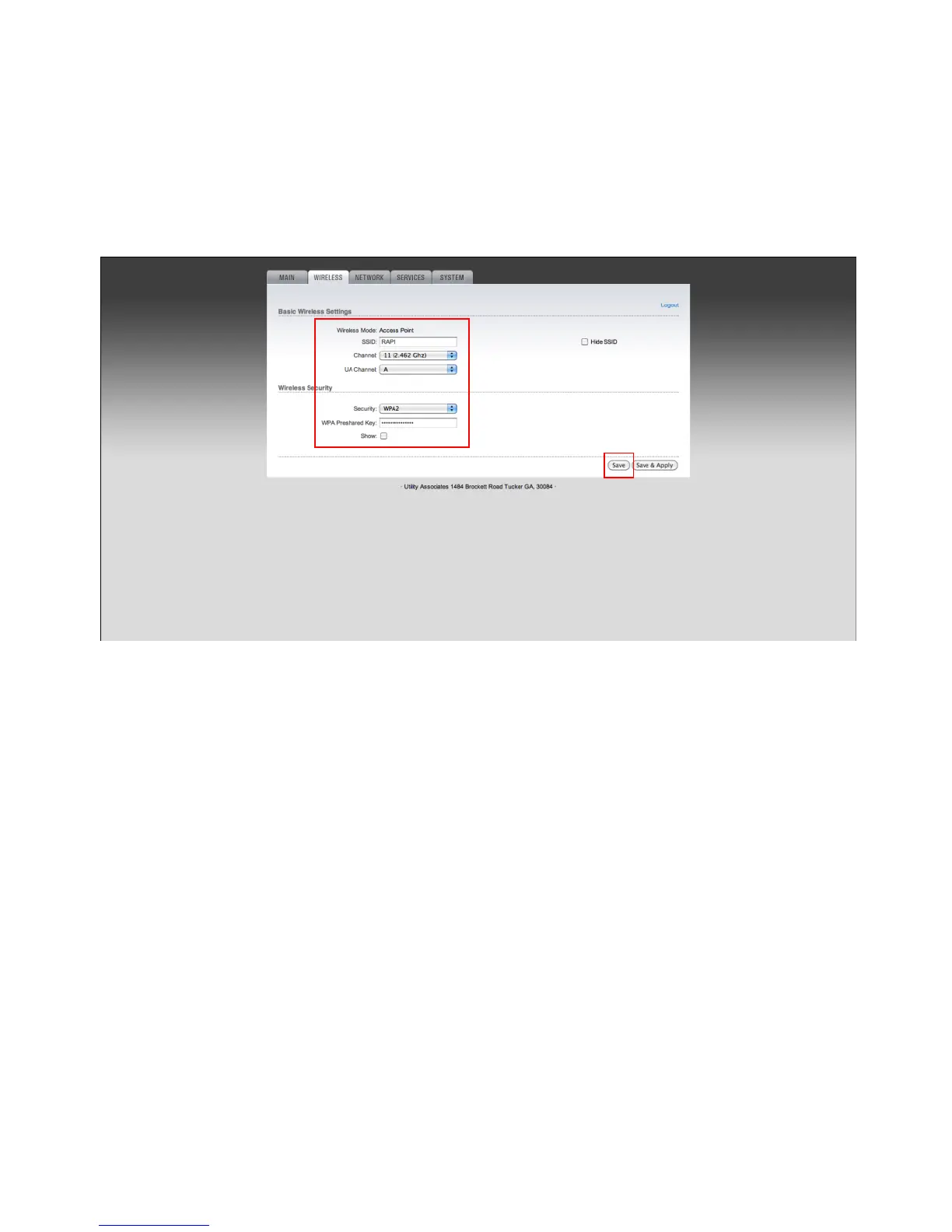
Setting up your wireless configuration
1. Enter a valid SSID in the SSID field for your organization.
2. Select a channel option for your wireless network in the Channel field.
3. Select `A` or `B` for the UA Channel field. Rocket speed optimization. (Optional)
4. The default is preferred unless you are running more than a couple RAPs within close proximity.
5. You may hide your SSID by checking the Hide SSID box.
6. Choose your security settings option by selecting None/WPA/WPA2 from the Security field.
7. If you have chosen WPA or WPA2, please enter a valid passphrase in the WPA Pre-shared Key field.
8. If your settings have changed please submit the form by clicking `Save`.


 To Next Page