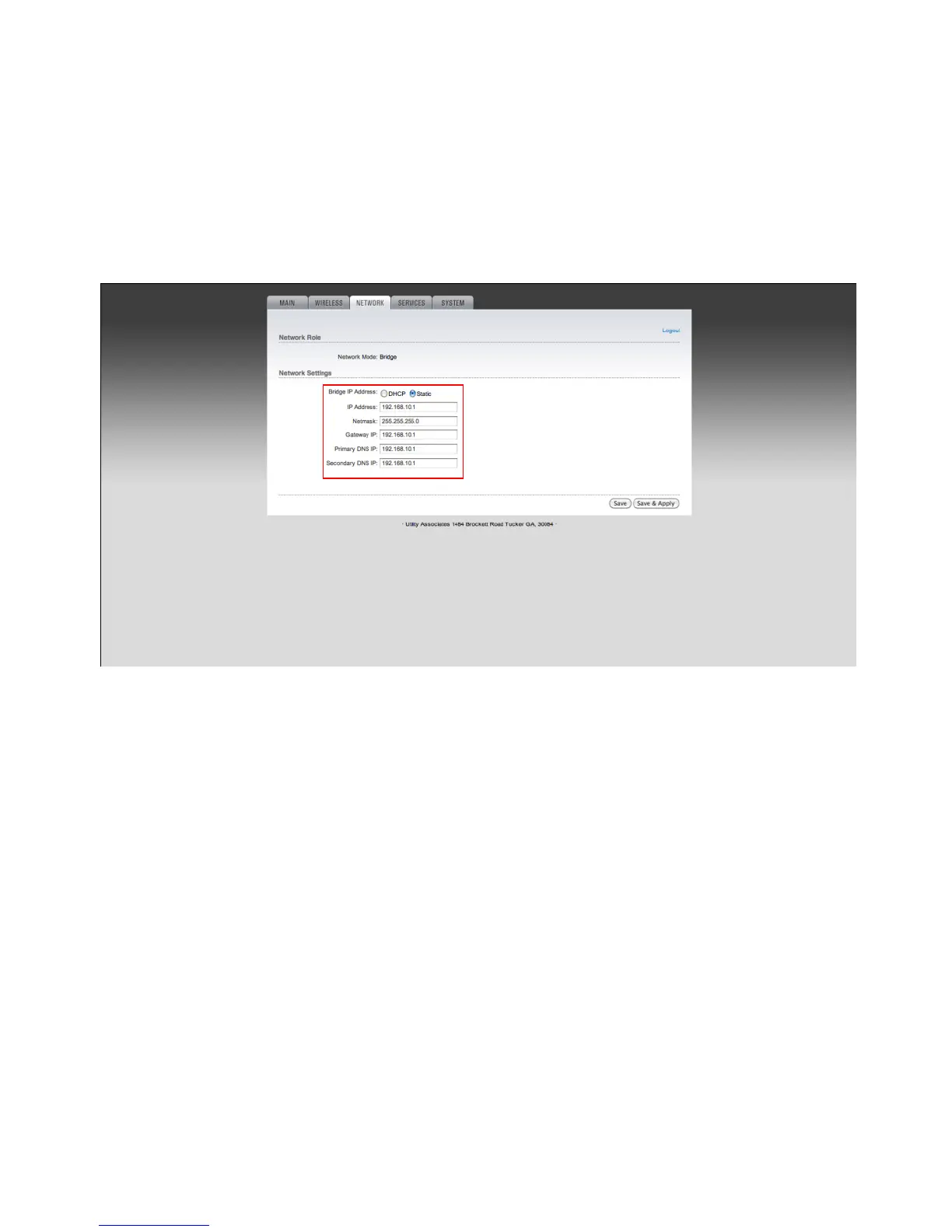
Network Mode
Bridge IP Address:
If DHCP is selected, the IP address will be given out by your router. If you choose this option you will need access to
the router to identify the IP Address given to your RAP. You can associate the RAP on your router by the MAC address
displayed on the `Main` page. This MAC should also be located on the outside of your device.
If Static is selected please enter a valid IP address for your network. This IP address should not already be taken on
your network.
Netmask: Include the netmast associated with your IP address scheme (i.e. 255.255.255.0).
• Gateway IP: The IP address of your router
• Primary DNS IP: Usually the IP address of your router
• Secondary DNS IP: If you do not have a secondary DNS you may re-enter the primary.


 To Next Page