14
Contactless - Sale
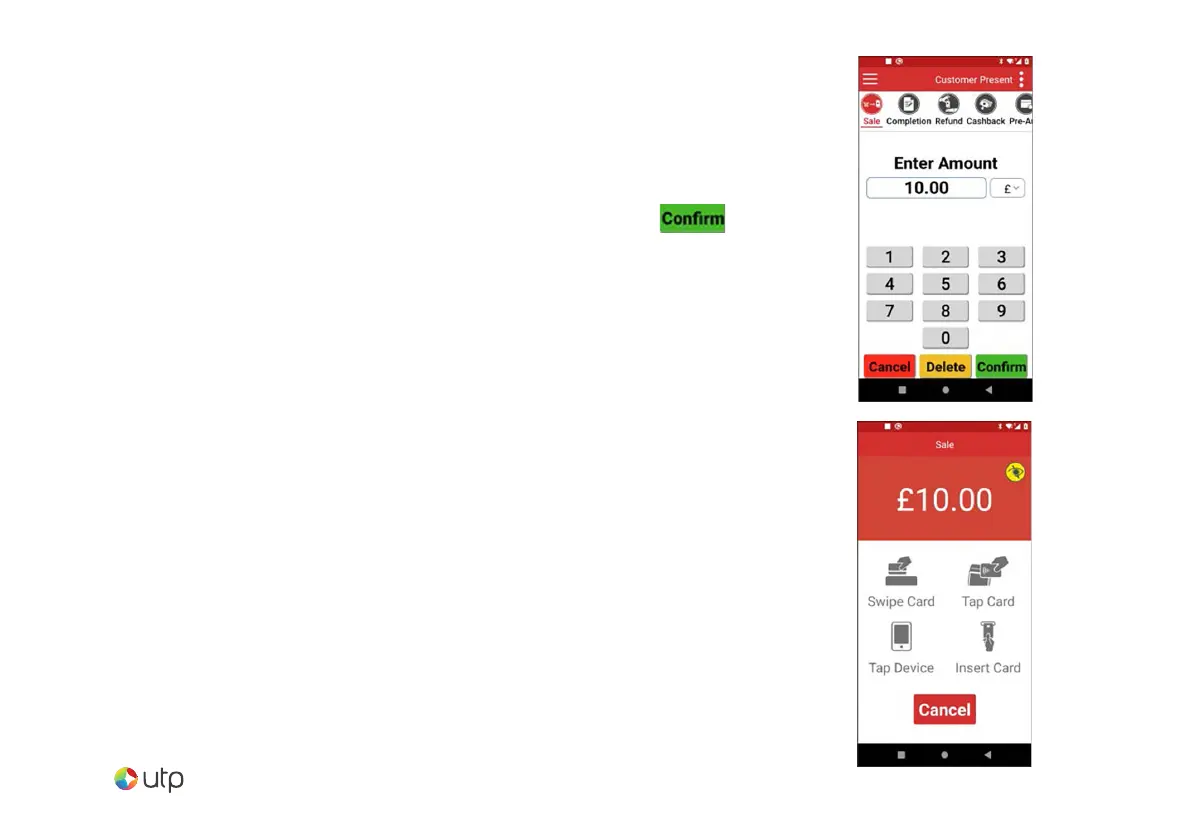
Select SALE from the menu options.
Enter the sale amount for the transaction and tap m .
The cardholder should present their card/payment
device to the top of the terminal where the contactless
symbol is displayed.
The terminal will contact the acquirer for authorisation.
A merchant receipt will then be printed. The terminal
will then present the option for a customer receipt
to be printed, select No or Yes as appropriate.


 To Next Page