18
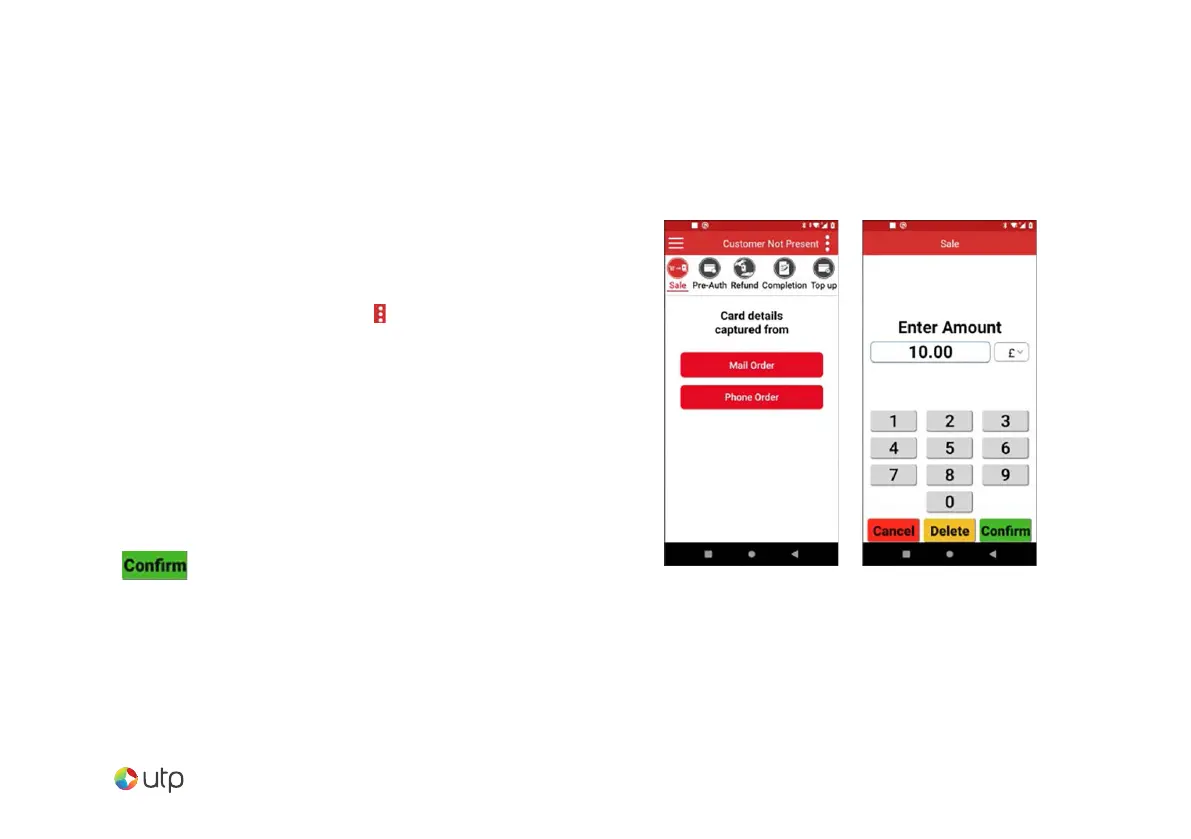
Change the selected service to ‘Customer
Not Present.
This is achieved by tapping the icon in the top
right of the display. Tapping the Select Service
option popup and selecting the Customer Not
Present option presented.
Select the appropriate card capture detail option for
the transaction.
Key in the amount for the transaction and
select .
Mail order - Sale


 To Next Page