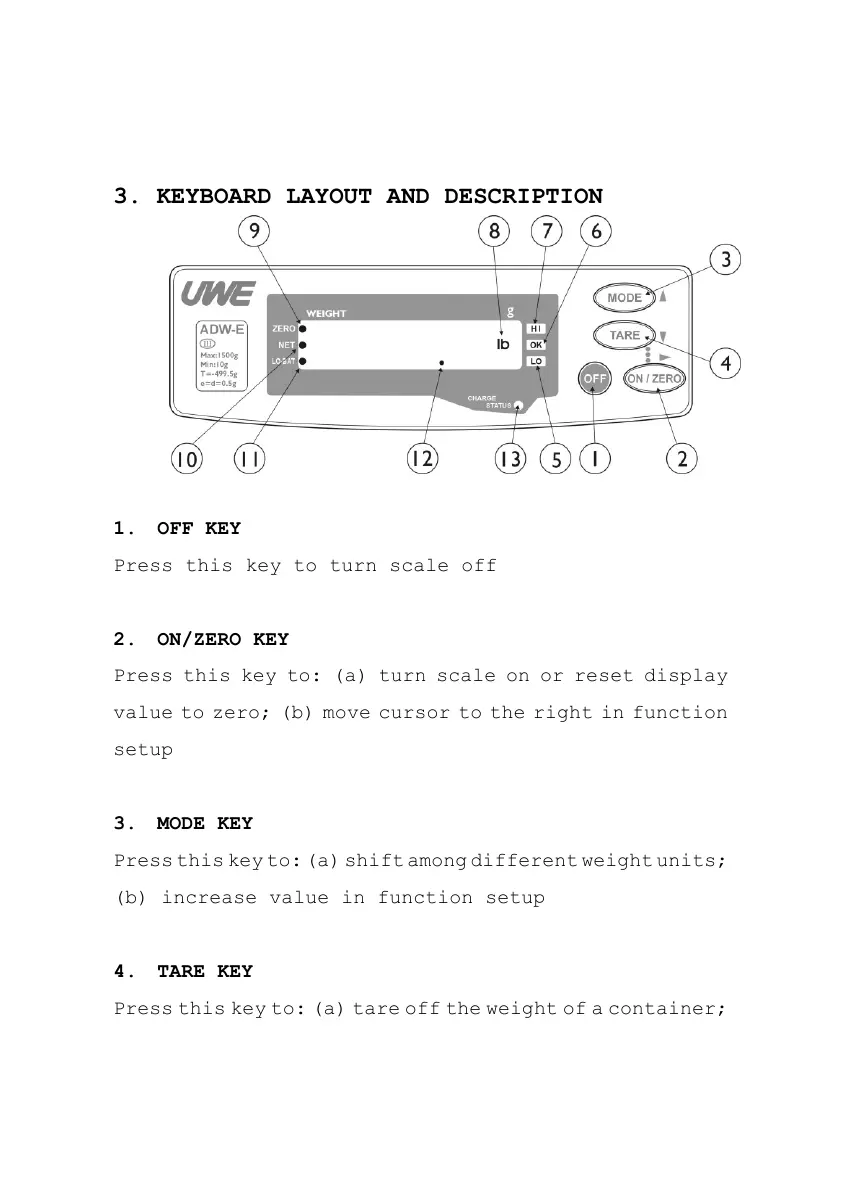
3. KEYBOARD LAYOUT AND DESCRIPTION
1. OFF KEY
Press this key to turn scale off
2. ON/ZERO KEY
Press this key to: (a) turn scale on or reset display
value to zero; (b) move cursor to the right in function
setup
3. MODE KEY
Press this key to: (a) shift among different weight units;
(b) increase value in function setup
4. TARE KEY
Press this key to: (a) tare off the weight of a container;



 To Next Page