5
Add your e-Charger
1. On the main screen of the app, click on the '+' icon at the top right.
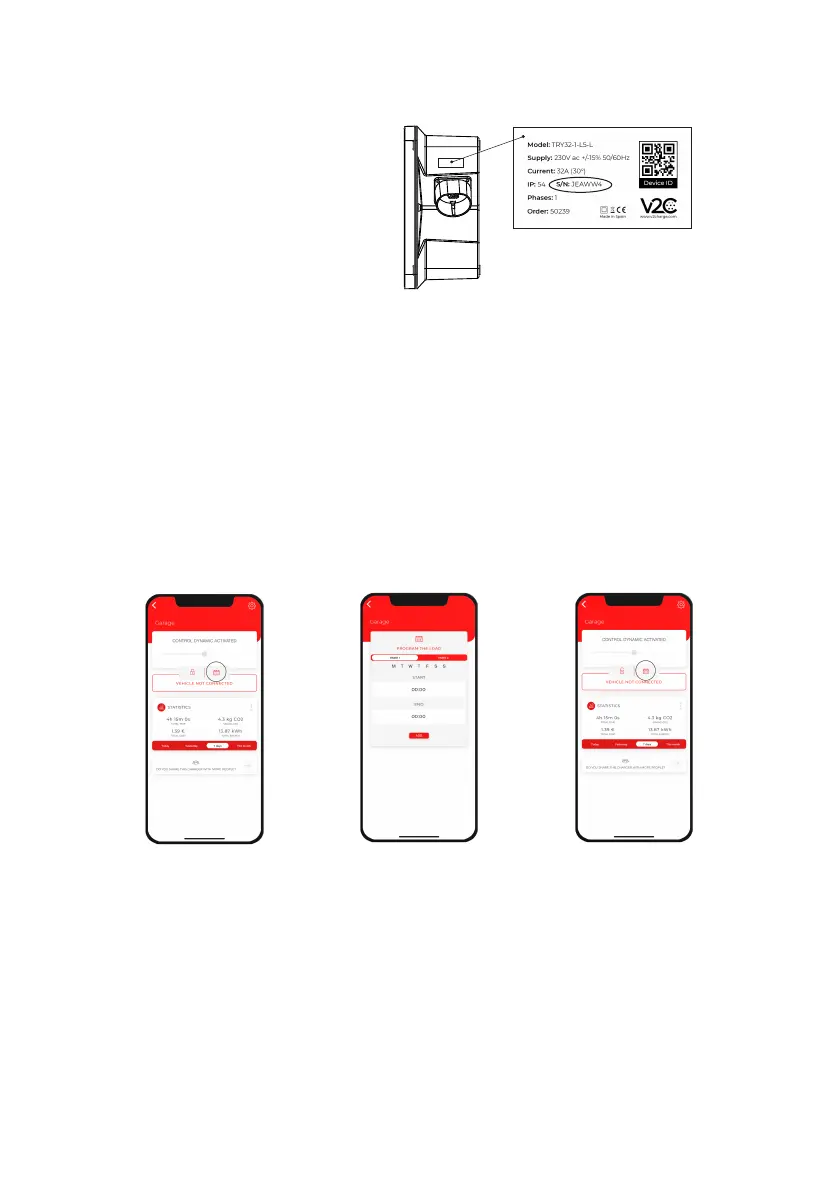
2. Enter the ID number of the charging point manually or by scanning the QR code on the
sticker on the charger.
3. Add a name (you can change it later).
4. Click on "Add charger".
Find the label containing the
serial number on the side of
the e-Charger.
Program a charge
Charges can be programmed for Bluetooth or WiFi devices.
1. Access the app and tap on the charging point.
2. Click on the calendar icon. You have two timers: Timer 1 and Timer 2. Select the day of the week
and the time you want it to be activated. You can work with both in combination. For example,
Monday from 16.30-18.30 in timer 1 and Monday from 19.15 to 20:00 in timer 2. So that between
18:30 and 19:15 the recharging point will be stopped.
View statistics.
View statistics
- Global statistics of all our chargers: Click on the button at the top right.
- Statistics of a single charger: Select the e-Charger you wish to consult and then select the icon
with the 3 dots.


 To Next Page