INTRODUCTION
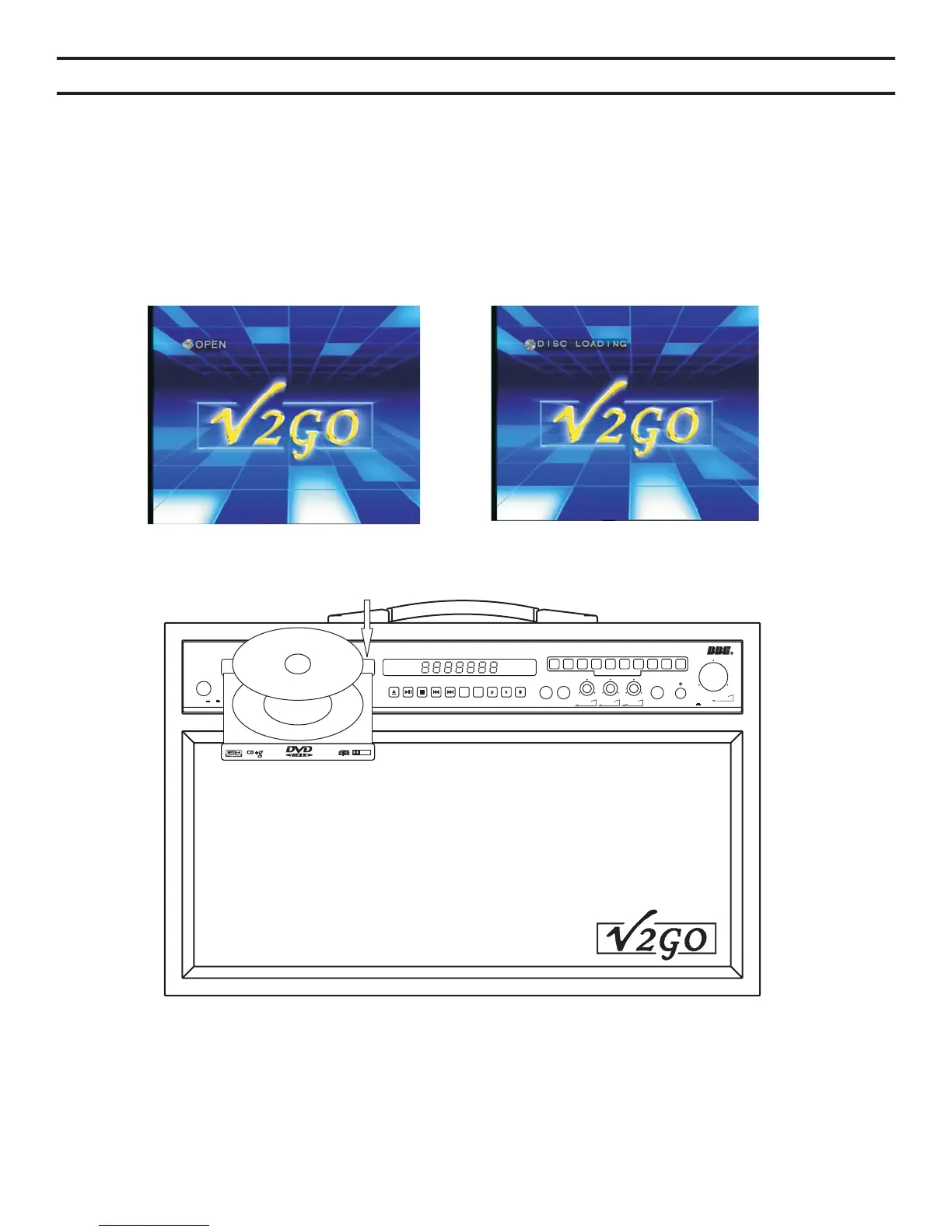
Tray ejectTray eject Reading discReading disc
POWER On Off
L/R
VOCAL
CANCEL
VOCAL
CANCEL
1
2
3
4
5
6 7 8
9 0
DIRECT SEARCHSYSTEMDIRECT SEARCHSYSTEM
Professional Karaoke DVD PlayerProfessional Karaoke DVD Player
GO-210
MIC1VOLMIC 1 VOLMIC1VOLMIC 1 VOL MIC 1VOLMIC 1 VOL
MIC2VOLMIC 2 VOL
ECHOMIC 1MIC 1 MIC 2MIC 2 HEADPHONE BBE SOUNDBBE SOUND On
MUSIC VOLMUSIC VOL
DOLBY
DIGITAL
DIGITAL AUDIO
Your V2GO GO-210 is a multi-format disc player with a built-in stereo amplifier and speakers.
Simply connect your unit to a power source and you are ready to begin listening to CDs or singing
karaoke. Connecting your GO-210 to a television allows you to see the karaoke music's lyrics
and access menu options, or to watch a DVD movie.
1. Connect the power cord on your to an electrical outlet as previously described.
2. Connect the video output on your to your television as previously described.
3. Press the POWER button on the .
GO-210
GO-210
GO-210
4. Once playing, use the remote control to directly access songs or chapters using the numeric
keypad.
5. Adjust the volume using the volume control on the front of the GO-210 or using the Vol + and
Vol – buttons (#42, pg.7) on your remote control.
17


 To Next Page