FUNCTIONS AND OPERATIONSFUNCTIONS AND OPERATIONS
Vocal CancelVocal Cancel
38
Key ControlKey Control
43
Video Output SelectVideo Output Select
9
BBE Audio EffectBBE Audio Effect
51
Headphone OutputHeadphone Output
50
br br
br br
A.S-VIDEO: for S-VIDEO connection
B.YC C : for YC C connection
C.SCRAT:for SCRAT connection
D.YP P : for YP P connection
E.VGA: for VGA connection, can connect to a PC monitor
br br
br br
A.S-VIDEO:
for S-VIDEO connection
B.YC C :
for YC C connection
C.SCRAT:for
SCRAT connection
D.YP P :
for YP P connection
E.VGA:
for VGA connection, can connect to a PC monitor
Vocal Cancel button controls four switches to VOCAL CANCEL RIGHT, VOCAL CANCEL LEFT, VOCAL
PARTNER RIGHT and VOCAL PARTNER LEFT.
Press once for VOCAL CANCEL RIGHT select to cancel the vocal coming from karaoke disc s right
channel.
Press twice for VOCAL CANCEL LEFT select to cancel the vocal coming from karaoke disc s left channel.
Press three times for VOCAL PARTNER RIGHT the leader voice from karaoke disc s right
channel disappears automatically when singer s voice comes out through microphone.
Press four times for VOCAL PARTNER LEFT the leader voice from karaoke disc s left channel disappears
automatically when singer s voice comes out through microphone.
Press fifth time to cancel function. Note: The function is applicable for karaoke discs only.
–’
–’
–’
’
–’
’
Vocal Cancel button controls four switches to VOCAL CANCEL RIGHT, VOCAL CANCEL LEFT, VOCAL
PARTNER
RIGHT and VOCAL PARTNER LEFT.
Press once
for VOCAL CANCEL RIGHT select to cancel the vocal coming from karaoke disc s right
channel.
Press twice
for VOCAL CANCEL LEFT select to cancel the vocal coming from karaoke disc s left channel.
Press three
times for VOCAL PARTNER RIGHT the leader voice from karaoke disc s right
channel
disappears automatically when singer s voice comes out through microphone.
Press four
times for VOCAL PARTNER LEFT the leader voice from karaoke disc s left channel disappears
automatically when
singer s voice comes out through microphone.
Press fifth
time to cancel function. Note: The function is applicable for karaoke discs only.
–’
–’
–’
’
–’
’
The Key Control buttons (43) are typically used only with karaoke discs, although it can be used at
anytime in the karaoke mode. The Key Control buttons change the key of the playback music up
and down in ½ steps, allowing the singer to sing in a key comfortable for his or her voice. The Ь
button lowers the key while the # button raises the key. Neither button changes the speed of the
music. Neither button affects the microphone(s).
Once your video monitor is connected to the GO-210, select the correct video for your display as
follows:
1. Depress the Stop button (30).
2. Depress the Video button (9).
3. Within 2 seconds depress the Enter button (25).
4. Repeat this process as many times as necessary to get the video type necessary for proper
display on your monitor.
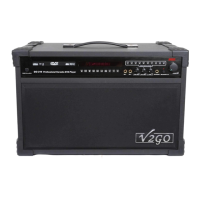
The GO-210 is equipped with a BBE Sonic Maximizer®. This button turns the BBE Sonic Maximizer
on and off.
A headphone jack (#50, pg 8) is located on the front panel of your GO-210. The amplifier of the
machine shuts down automatically and audio is redirected when a headphone is connected. The
headphone volume is adjusted by the MUSIC VOLUME knob(#53, pg 8) located on the front panel of
the unit.
20


 To Next Page
 Loading...