ON SCREEN DISPLAY
3
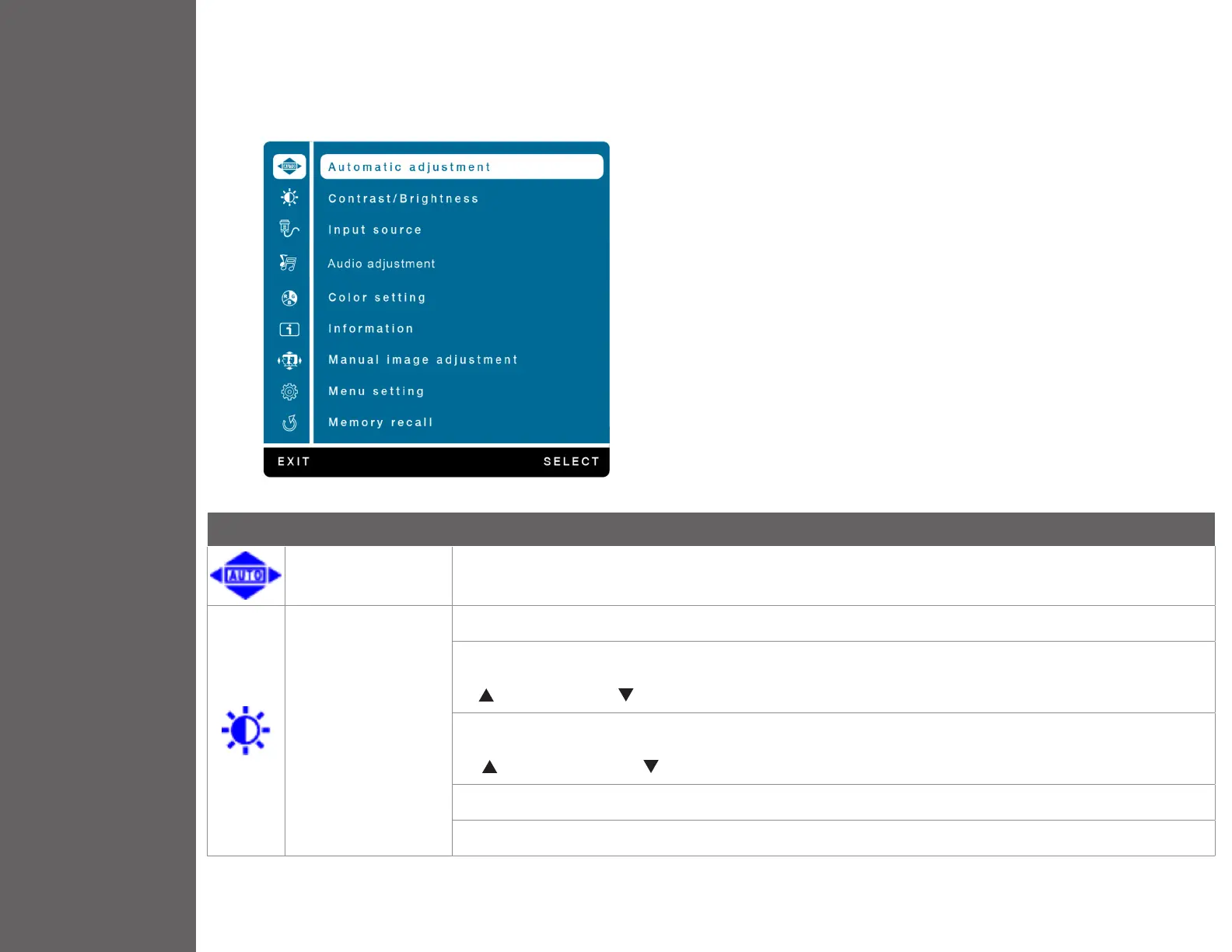
Using On Screen Display (OSD) Functions
Main Menu
Button Function
Automatic Adjustment To auto adjust Horizontal Position, Vertical Position, Phase (Fine Tune) and Clock (H. Size) of the screen.
Contrast/Brightness
To manually adjust the Contrast, Brightness, DCR and ECO of screen image.
Contrast: To adjust the foreground white level of screen image.
increase contrast, decrease contrast.
Brightness: To adjust the luminance of the video.
increase brightness, decrease brightness.
DCR: To detect the distribution of the visual signals inputs, and create an optimized contrast.
ECO: Allows the user to change the ECO mode. Brightness adjustment will be disabled when ECO is active.


 To Next Page