V200 POSITIONER
www.vacaccessories.com/v200
5 V200 External options IOM r2
2 INSTALLATION
1
3
2
4
5
1
2
6
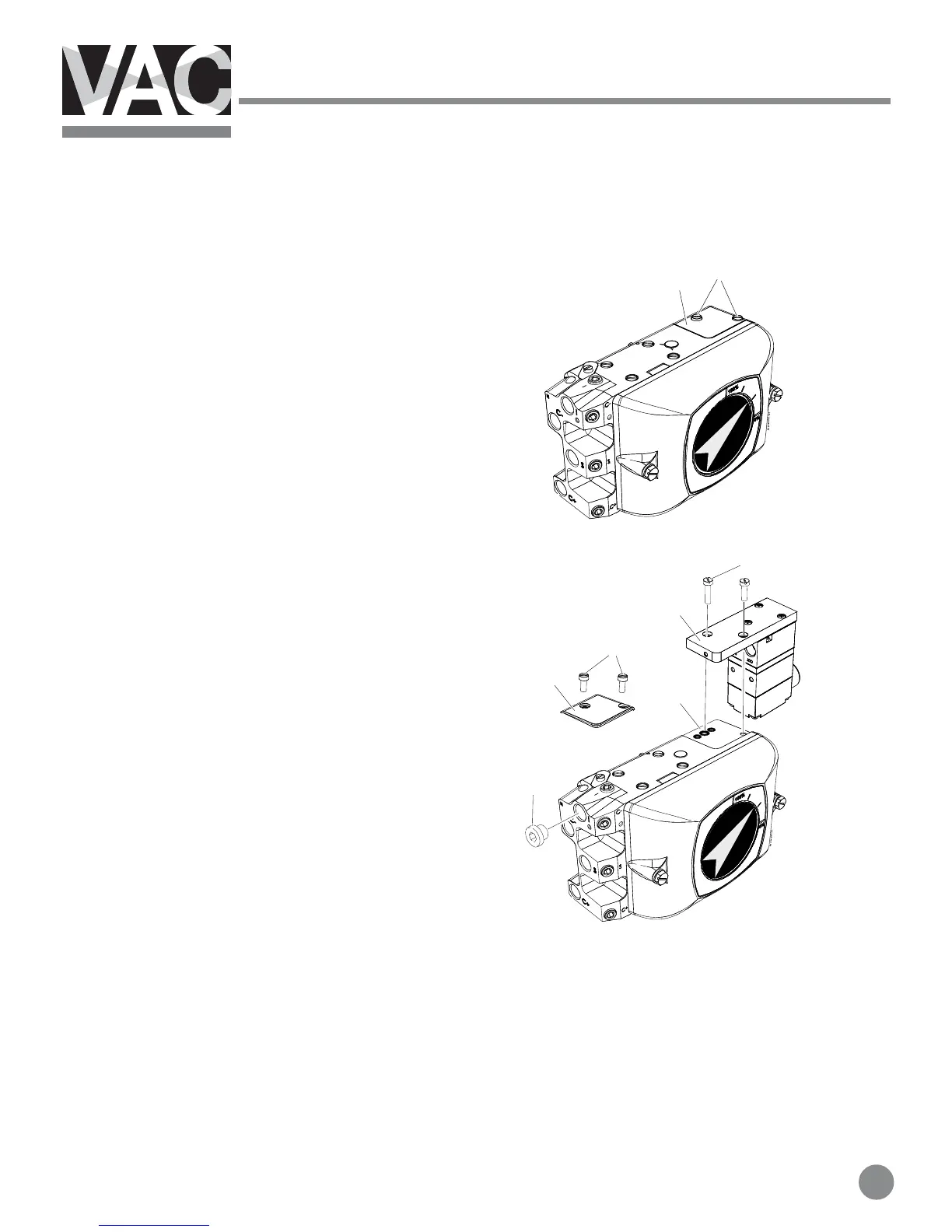
2.1 Installing external IP converter on V200P
NOTE! This instruction is for use when
converting from V200P to V200EX, V200FF or
other external IP converter.
When converting from V200E please follow the
instruction in section 2.2.
1. Loosen the two screws(1) and remove the
plate(2).
2. Make sure there are three O-rings(3) in the
positioner housing.
3. Install the IP converter(4) and tighten the
screws(5).
4. Install the 1/4” plug(6) in the port marked I.



 To Next Page