V200 POSITIONER
www.vacaccessories.com/v200
7 V200 External options IOM r2
1
2
3
4
2
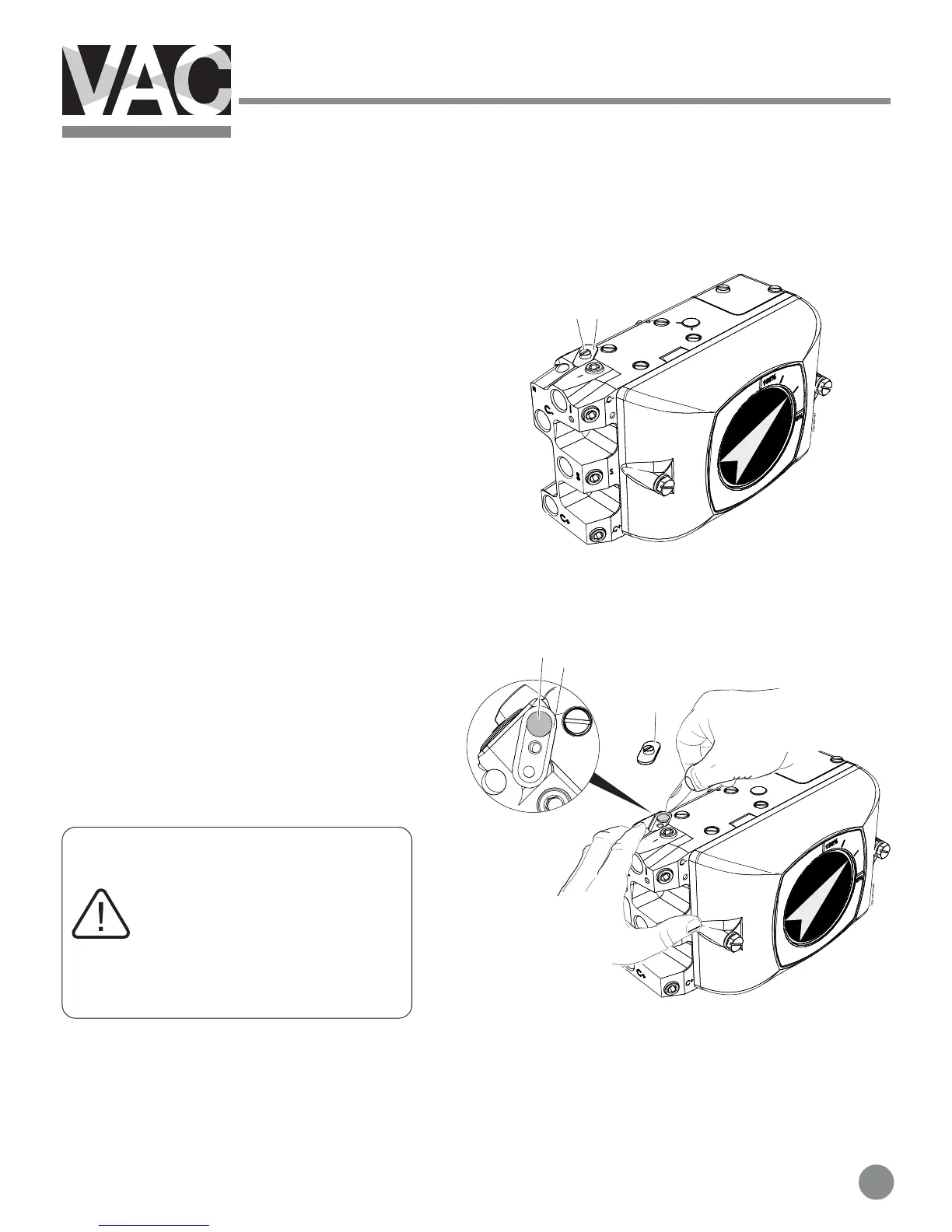
2.3 Main supply filter for IP converter
Changing the filter
1. Turn off or disconnect the main air supply.
Should air supply not be disconnected or
turned off, the pressure may cause the
filter cover to eject from the unit.
2. Loosen the screw(1) and remove filter
cover(2)
3. Cautiously remove the filter (3) with a
sharp pointed object e.g. a pocket knife.
4. Press the new filter(3) into the housing.
5. Check the O-ring(4) and replace if
needed.
5. Install the filter cover(2) and tighten the
screw(1)
If the filter(3) shows traces of
oil or water, check the water/oil
separator in the supply line.
Oil and water can cause
functional problems in
the IP converter.



 To Next Page