V200 POSITIONER
www.vacaccessories.com
92026r15
17
2.11 Main supply lter for IP converter
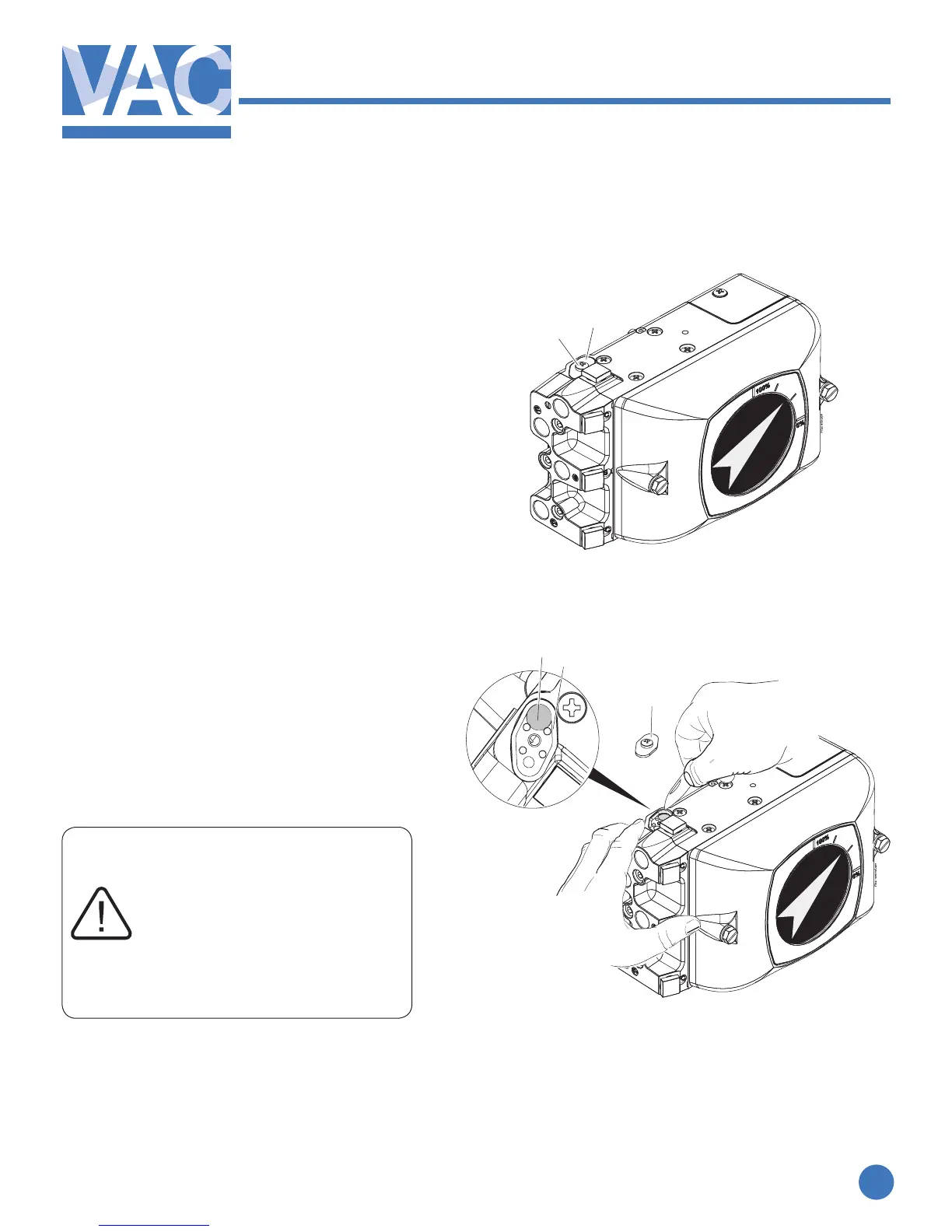
Changing the lter
1. Turnoordisconnectthemainairsupply.
Should air supply not be disconnected or
turnedo,thepressuremaycausethe
ltercovertoejectfromtheunit.
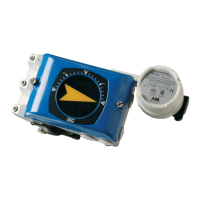
2. Loosenthescrew(1)andremovelter
cover(2)
3. Cautiouslyremovethelter(3)witha
sharp pointed object e.g. a pocket knife.
4. Pressthenewlter(3)intothehousing.
5. Check the O-ring(4) and replace if
needed.
5. Installtheltercover(2)andtightenthe
screw(1)
If the lter(3) shows traces of
oil or water, check the water/oil
separator in the supply line.
Oil and water can cause
functional problems in
the IP converter.
1
2
3
4
2


 To Next Page