9
Operating Instructions (Continued)
USING THE VP210 VACUUM PACKAGING MACHINE
Note: After setting the timing controls, press the button until all function lights on the control panel
are no longer illuminated. The machine will not start until all function lights are off.
1. Select a vacuum chamber pouch
Select the proper size of vacuum chamber pouch for the product that you are packaging.
Make sure that the mouth of the pouch does not exceed the length of the seal bar and
make sure the entire pouch ts inside of the chamber. Allow 1” to 2” of extra headspace
at the top of the pouch to ensure a quality, air-tight seal. The VP210 accepts vacuum
chamber pouches up to 10”W x 13”L in size.
2. Fill the pouch and place inside the chamber
Fill the pouch with the product to be vacuum packaged and place the pouch inside the
chamber. Keep pouches that contain liquids or wet product below the height of the seal
bar. Lay the pouch at inside the chamber, with the opening of the pouch across the seal
bar. Make sure that the pouch lies at across the seal bar and is free of wrinkles.
Note: The entire pouch, including the opening, must remain inside of the chamber.
3. Close the machine lid to vacuum and seal
Close the lid and press down rmly for 2-3 seconds or until the vacuum gauge begins to
move.
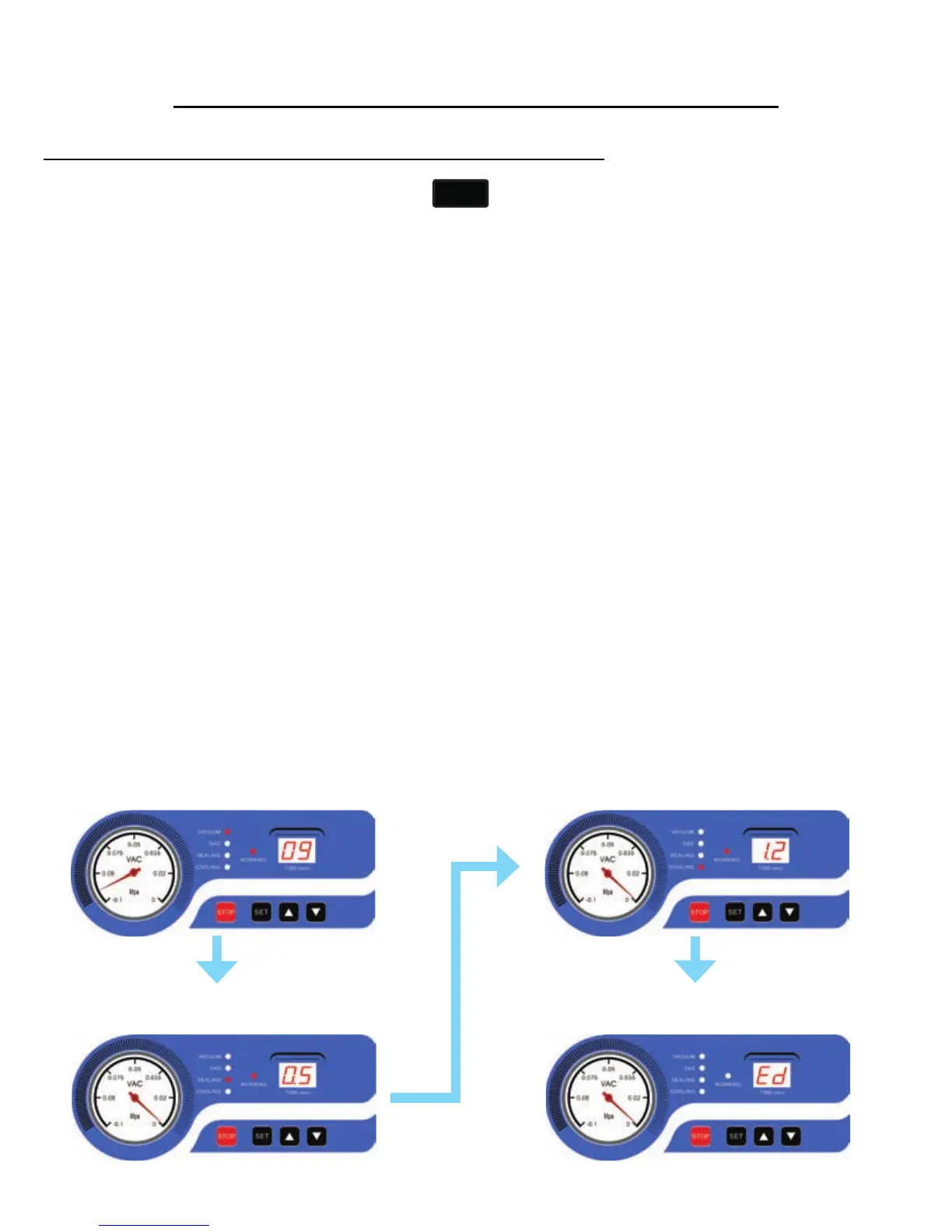
Vacuum Cycle
Runs for a set time - counting down to zero
Sealing Cycle
Runs for a set time - counting down to zero
Cooling Cycle
Runs for a set time - counting down to zero
Lid Release
Indicates the end of the process.
SET


 To Next Page