22
★When the capture mode NOR selected, to set capture picture
time from the camera cycle option.
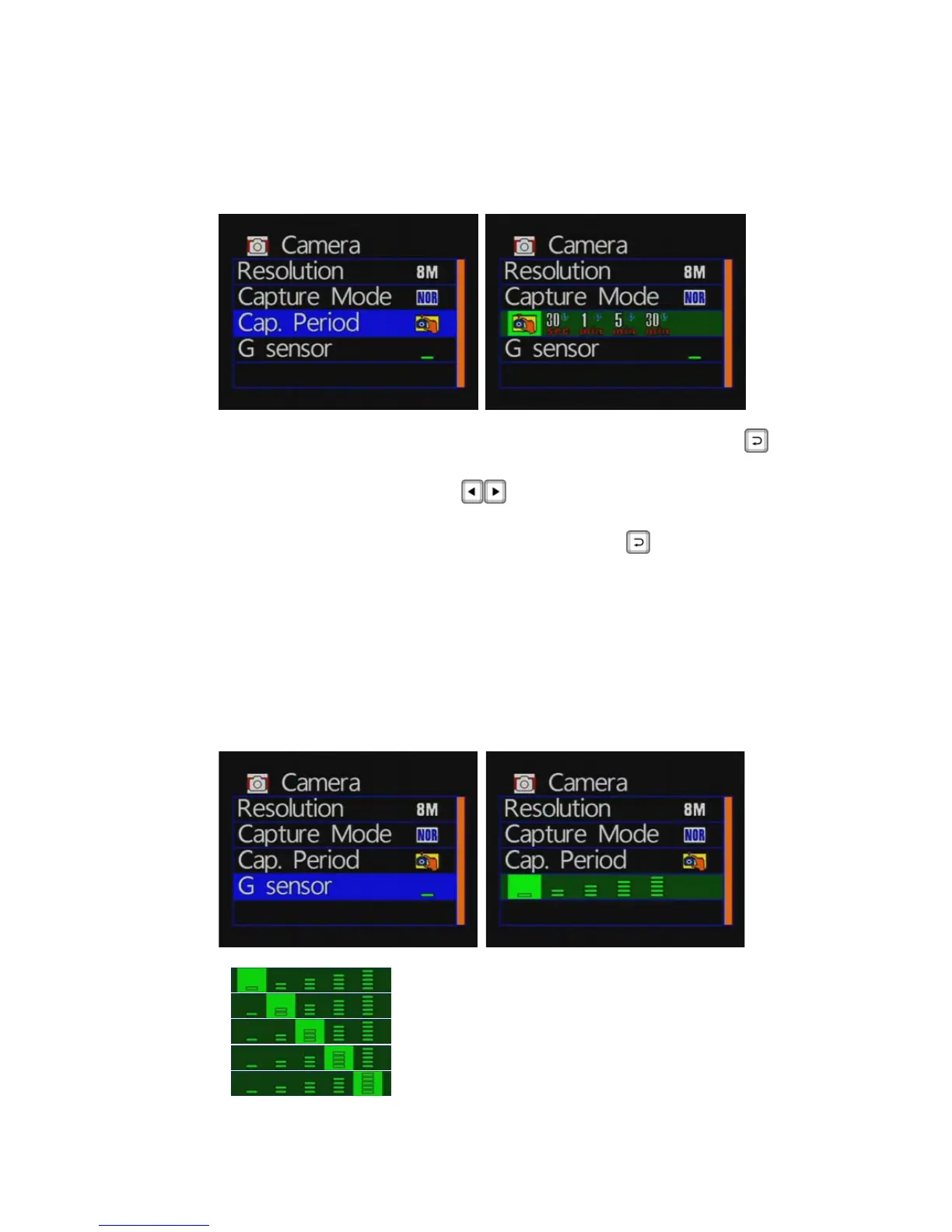
Camera Period Setting
Camera mode / capture period: press the remote control
buttonto enter the settings page to set the period setting.
Press the remote control
buttonto select period of time
to capture.
Setup is complete, press the remote button
to save the
settings
★ When the capture mode NOR selected, the option to set the
camera period setting.
★ Photographic period: 30 seconds / 1 minute / 5 minutes / 30
minutes, fixed shot once.
◆ G-sensor Setting
: Very low
: Low
: Normal
: High
: Very high



 To Next Page