RoboSHOT HD Cameras
RoboSHOT HD Cameras - Document Number 342-0796 Rev C Page 33 of 68
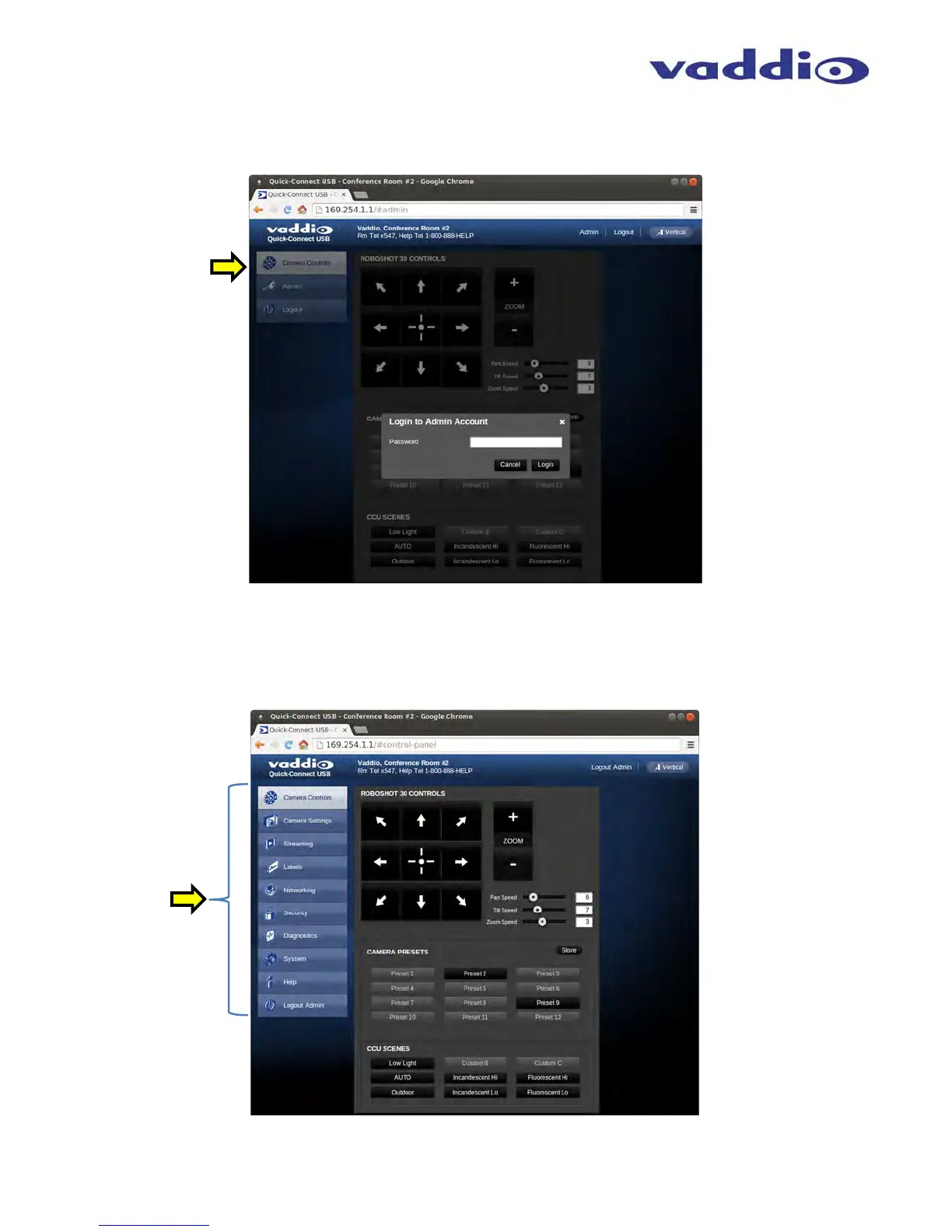
Screen Shot: Admin Login
If there is a User name and password, the Login for the Admin is on the Camera Control page.
Screen Shot: Admin Menu - Camera Control Page
From the Admin Menu Camera Control Page, all 10 menu buttons are accessible. These menus on the left of the
screen include Camera Settings, Streaming, Labels, Room Labels, Networking, Security, Diagnostics, System,
Help and last but not least the Admin Logout.
Admin



 To Next Page