0020230535_07 ecoFIT pure Installation and maintenance instructions 37
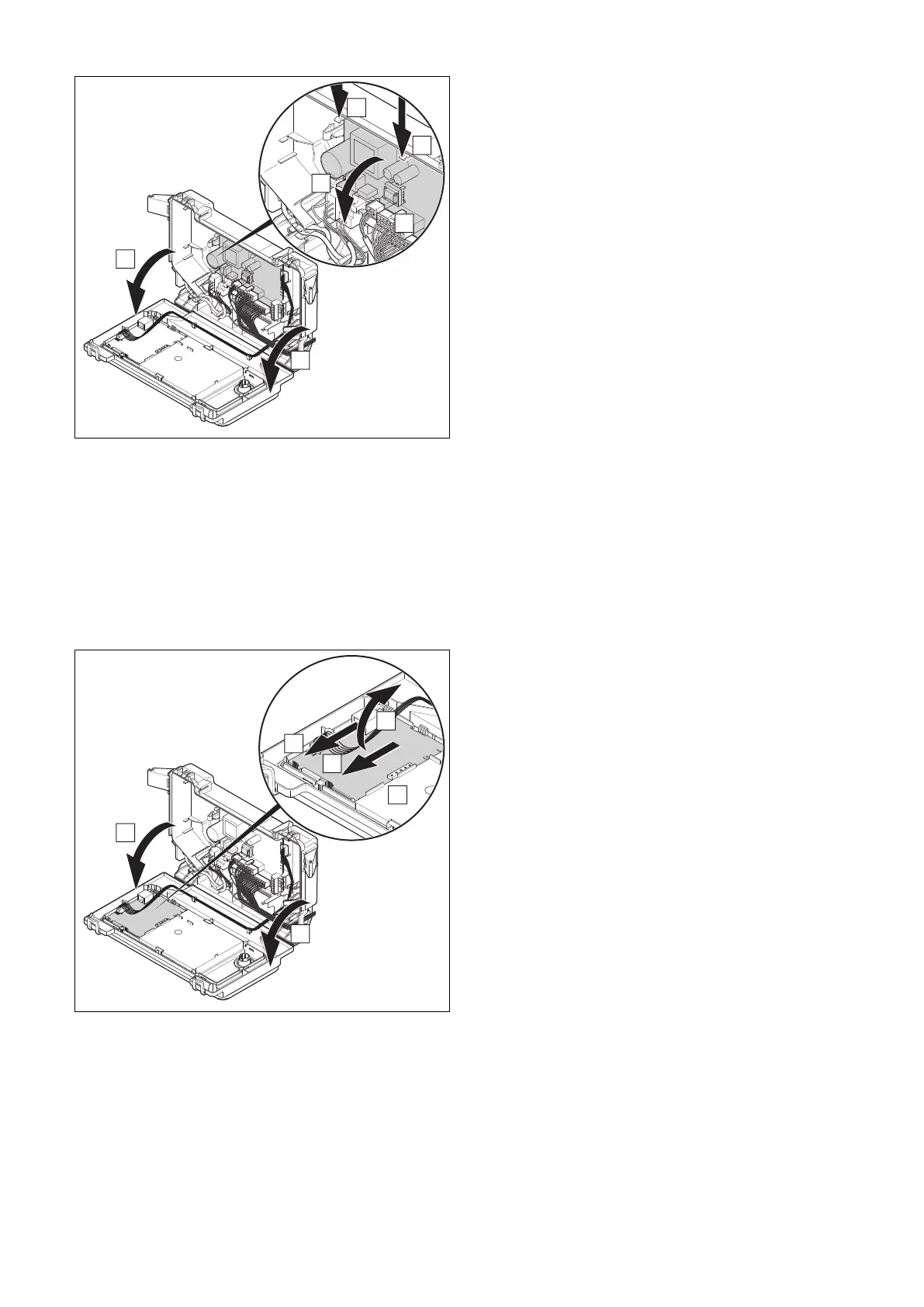
13.5.4 Replacing the PCB
1. Open the electronics box. (→ Page 24)
2. Pull all of the plugs out from the PCB.
3. Undo the clips on the PCB.
4. Remove the PCB.
5. Install the new PCB in such a way that it clicks into the
groove at the bottom and into the clip at the top.
6. Plug in the PCB plugs.
7. Close the electronics box.
13.5.5 Replacing the PCB for the user interface
1. Open the electronics box. (→ Page 24)
2. Pull the plug out of the PCB.
3. Undo the clips on the PCB.
4. Remove the PCB.
5. Install the new PCB in such a way that it clicks into the
groove at the bottom and into the clip at the top.
6. Plug in the PCB plug.
7. Close the electronics box.
13.6 Checking the product for leak-tightness
▶ Check that the product is leak-tight. (→ Page 31)
14 Decommissioning the product
▶ Switch off the product.
▶ Disconnect the product from the electrical installation.
▶ Close the gas stopcock.
▶ Close the cold-water isolation valve.
15 Recycling and disposal
Disposing of the packaging
▶ Dispose of the packaging correctly.
▶ Observe all relevant regulations.
▶ For detailed information refer to www.vaillant.co.uk.




 To Next Page