8
B
Using the appliance
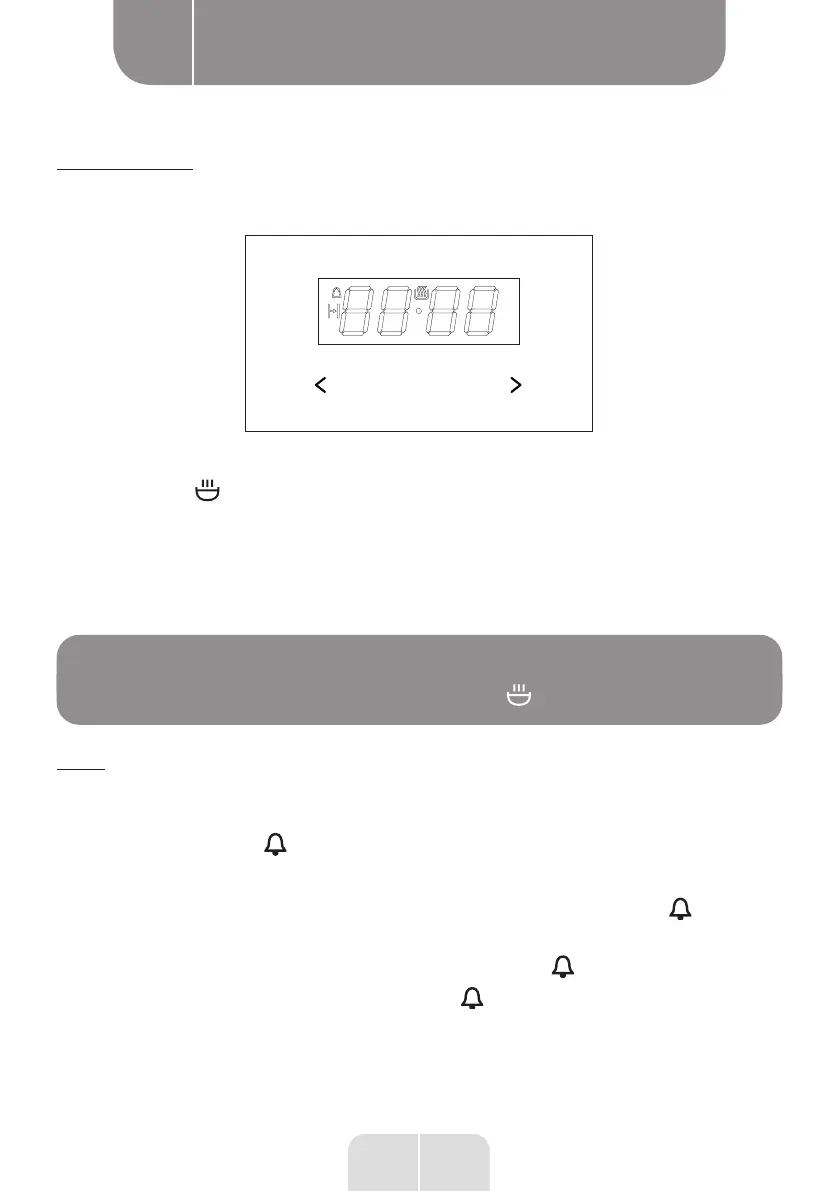
Setting the clock
The time ‘0.00’ will flash after the appliance has been connected to electricity or after the
power supply has been cut off.
OK
To adjust the clock, do the following:
• Press OK, the symbol will appear on the screen.
• Adjust the clock time using the < and > buttons.
7 seconds after setting the clock, the new data is stored and the screen stops flashing.
To change the time, press the keys < and > at the same time to make the time on the screen
flash. The time can then be corrected using the keys < and >.
NOTE:
The oven can be switched on once the symbol is displayed.
Timer
The timer can be activated at any time. It can be adjusted from 1 minute to 23 hours and 59
minutes. To adjust the timer, do the following:
• Press OK. The symbol flashes on the display:
• Adjust the timer time using the < and > keys.
The selected timer duration appears on the screen along with the symbol , indicating
that the timer function is enabled.
When the time has elapsed, a sound is made and the symbol flashes.
•
Press OK, < or > to mute the beeper, the display is turned off and the screen indicates
the time.
EN


 To Next Page