10
4
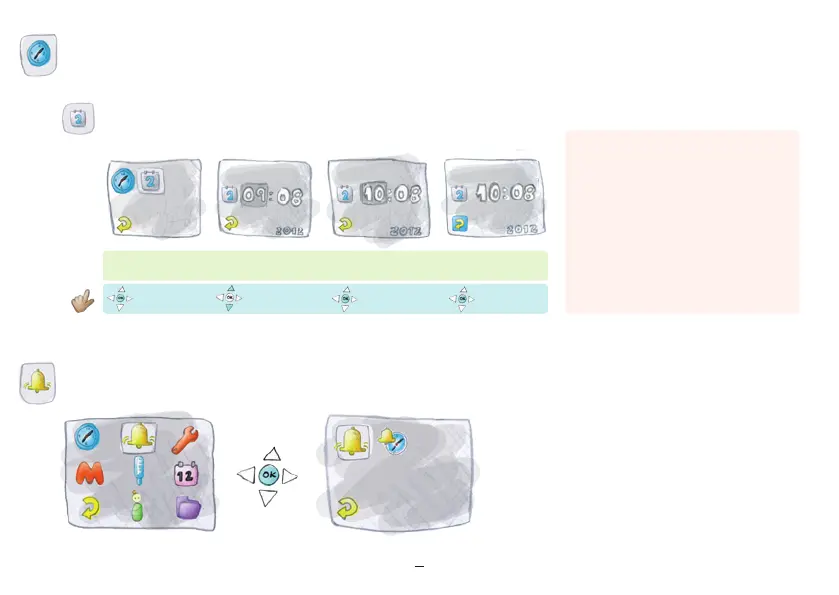
. Alarm
Prior to the first temperature measurement,
set the alarm time and activate the alarm.
Set the date
“Return” illuminated
Press “ok”
Press “ok”
Press “ok”
“Return”
Set day
Important:
If the device has already received one or
more temperature measurements, it is only
possible to change the date setting by one
day. If the date is reversed, no temperature
measurement can be made the following day.
The date cannot be changed accidentally.
The date may also be adjusted when traveling
in different time zones. Do not take your
temperature on the day of travel.


 To Next Page