15
Important:
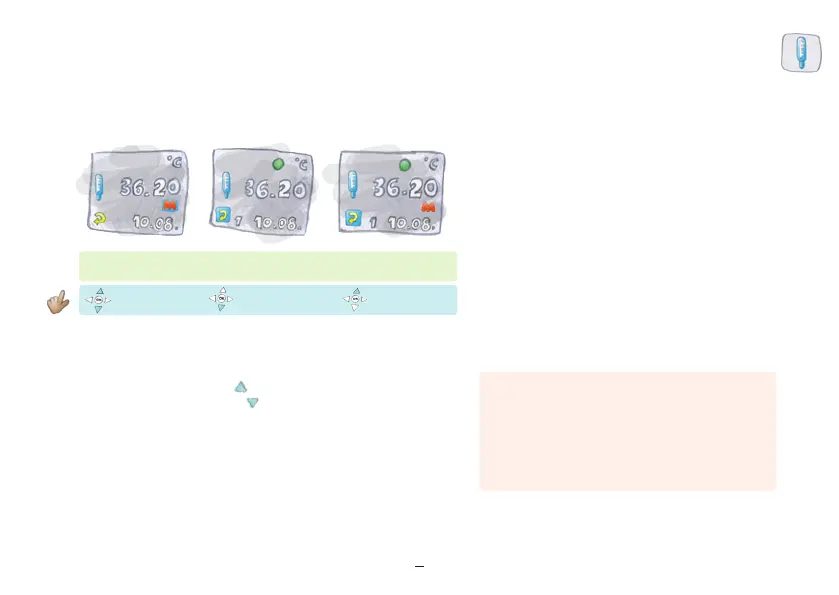
Please confirm “M” on at least three consecutive days.
If you have “M” without being asked by the device,
activate “M” as described. If you have accidentally
entered “M”, you may return to “M” to edit it for the past
three days.
“Return” illuminated
If “M” is expected,
“M” will blink
“Return” illuminated
“M” Display No
“M” Display Yes
“M” Yes
“M” No
After taking your temperature, it is possible that the “M” for menstruation
will blink.
– To confirm “M” press the key up for Yes.
– To not confirm “M” press the key down for No.
Once Lady-Comp knows your cycle, the device will ask you about “M” on
the days that menstruation is expected.
– It begins to ask (“M” blinking) two days before menstruation is expected.
– When “M” is done, Lady-Comp will stop asking for “M”.
Activate “M” after temperature measurement


 To Next Page