30
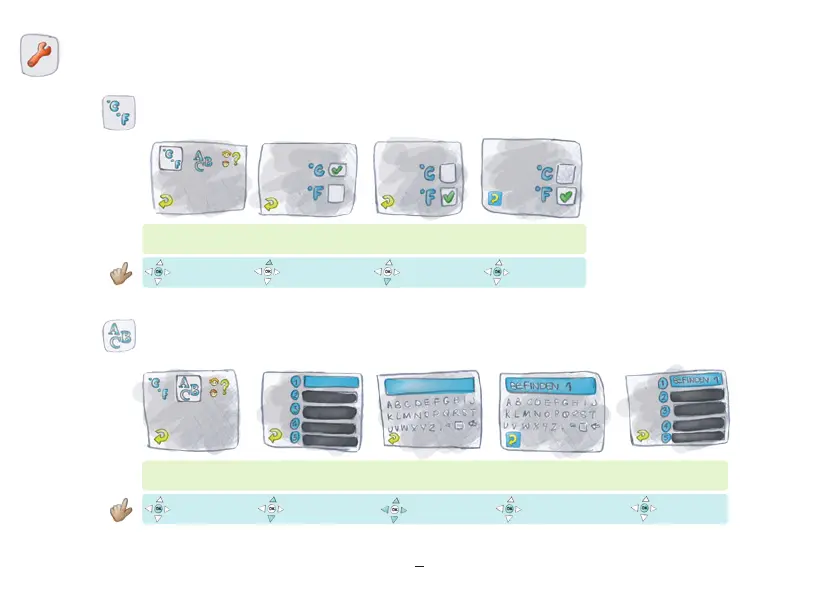
Here, you can set your device to Celsius or
Fahrenheit. This will automatically change
the time and date format as follows:
°C: Time in 24-hour format and date with
day / month (i.e. 13:25 and 25.03.).
°F: Time in 12-hour format and date with
month / day (i.e. 01:35 pm and 03/25).
Temperature
/
time units
Press “ok”
Select input field
“Return” illuminated
Enter text Confirm each letter
Press “ok”
“Return”
Enter Personal Notes
Press “ok”
Select “Return”
Press “ok”
Celsius
Fahrenheit
°F = Fahrenheit
°C = Celsius
“Return” illuminated



 To Next Page