38
39
tion to a USB mass storage device with FAT data
file system, for example PCs running Windows or
Linux, and many other devices.
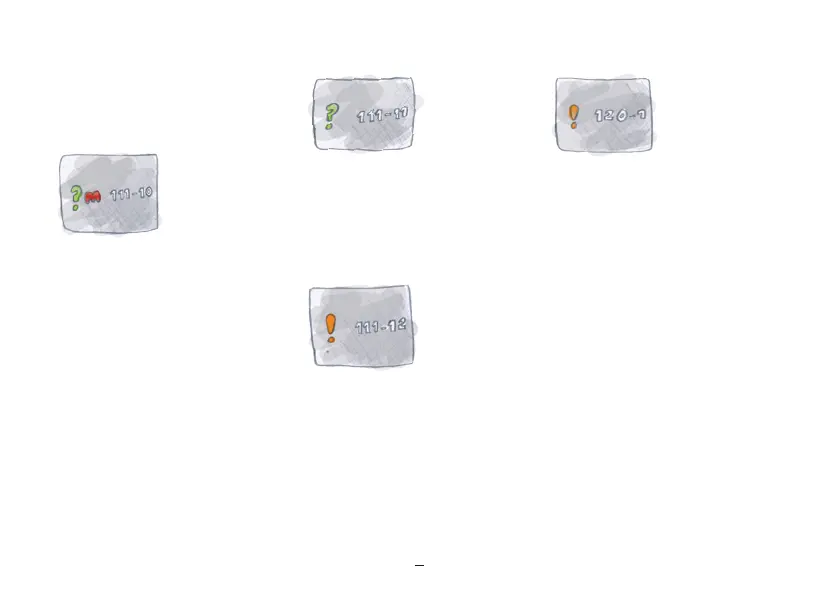
Memory almost full (111-11)
Action:
The existing data should be backed up via USB
connection or by saving to an SD card. The data
can then be deleted from the device and the
compressed data can be re-entered.
Memory full (111-12)
The memory of the device is sufficient for 20
years of records. If this period is exceeded, this
error message will appear.
Action:
The existing data should be backed up via USB
connection. The data can then be deleted from
the device and the compressed data can be
reentered. Further details can be found on our
website or by calling support.
Error message /bootloader error
(120-1)
If a software update is canceled and the program
has not been fully resaved (i.e. dead battery) this
error message will appear. The number after the
dash will indicate the exact cause of the error.
Error message:
120-2 to 120-7 inclusive, please contact technical
support.
Action:
The bootloader is able to reprogram the device
even without a utilization program. To do this,
insert the micro SD update card and the batter-
ies into the device. The bootloader will erase
the program memory first and then reinstall the
update. You can follow the progress on the indi-
cator bar. Make sure that you use fully charged
batteries for the update so that the process can
be completed.
M input: check (111-10)
If the device has not taken any temperature
measurements or M input for a long period of
time (4 days) and a new cycle start is expected
during this time, it will remind the user to enter
any possibly forgotten data retroactively.
Action:
– Activate M retroactively.


 To Next Page