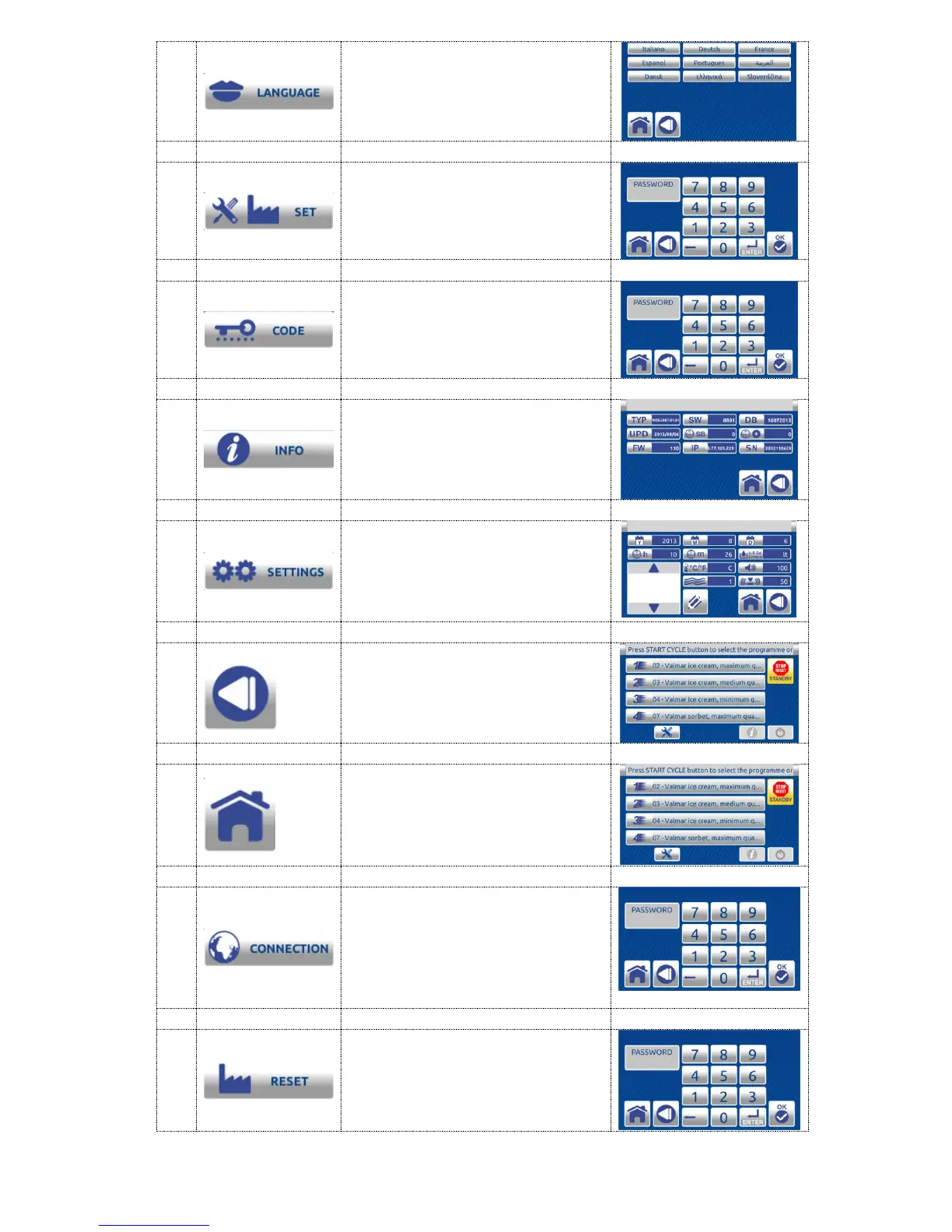
Use this function to enter
LANGUAGE SELECTION
Function to be used only by
Valmar technicians
Use this function to enter the
CODE screen, password is
required
Use this function to enter the
electronic INFO screen and
check data: serial number, latest
update, software version, etc.
Use this function to check or
change settings such as date,
time, units of measurement
(Celsius/Fahrenheit,
liters/gallons) or water quantity
Press the BACK button to return
to the previous screen
Press the HOME button to
return to the main screen
For technicians - network
connection.
By entering correct code you
can display touch screen display
on a computer or other device
with a web browser.
Use this function to reset to
factory settings. A password is
required for reset. All saved
values will be cleared.


 To Next Page