9 CHANGING SETTING OF MACHINE
9.1 RESET TO FACTORY SETTINGS
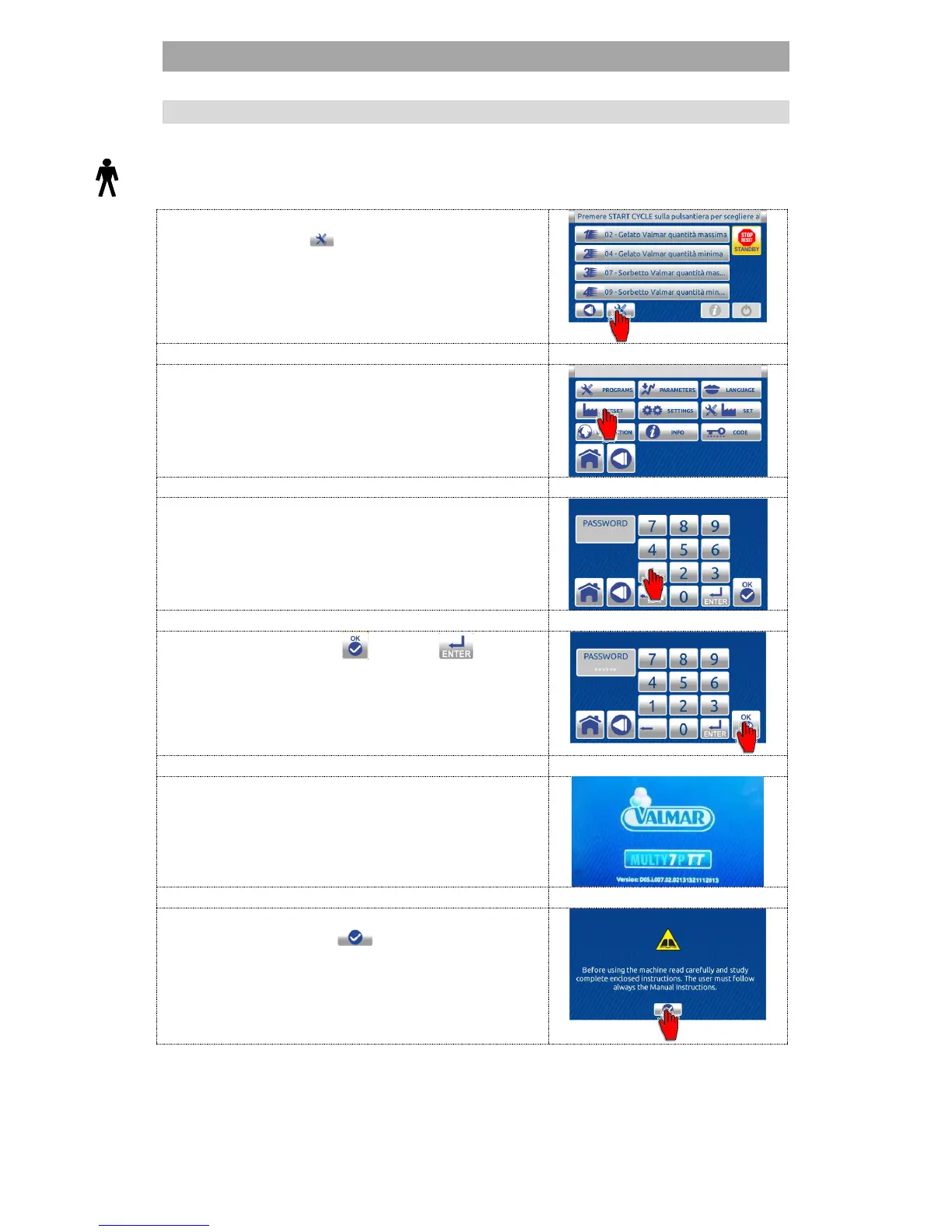
The user can restore all parameters to factory settings, all user changes are
lost.
1. On the HOME SCREEN screen press the
TOOLS button to enter SETTINGS
menu.
2. Press the RESET button to enter the RESET
list.
3. Enter the password - user code 111111.
4. Press the confirem or enter button.
5. Wait for the software to upload.
6. First carefully read the text and then press
the confirm button to confirm the
language chosen. The HOME screen is
displayed.


 To Next Page