68
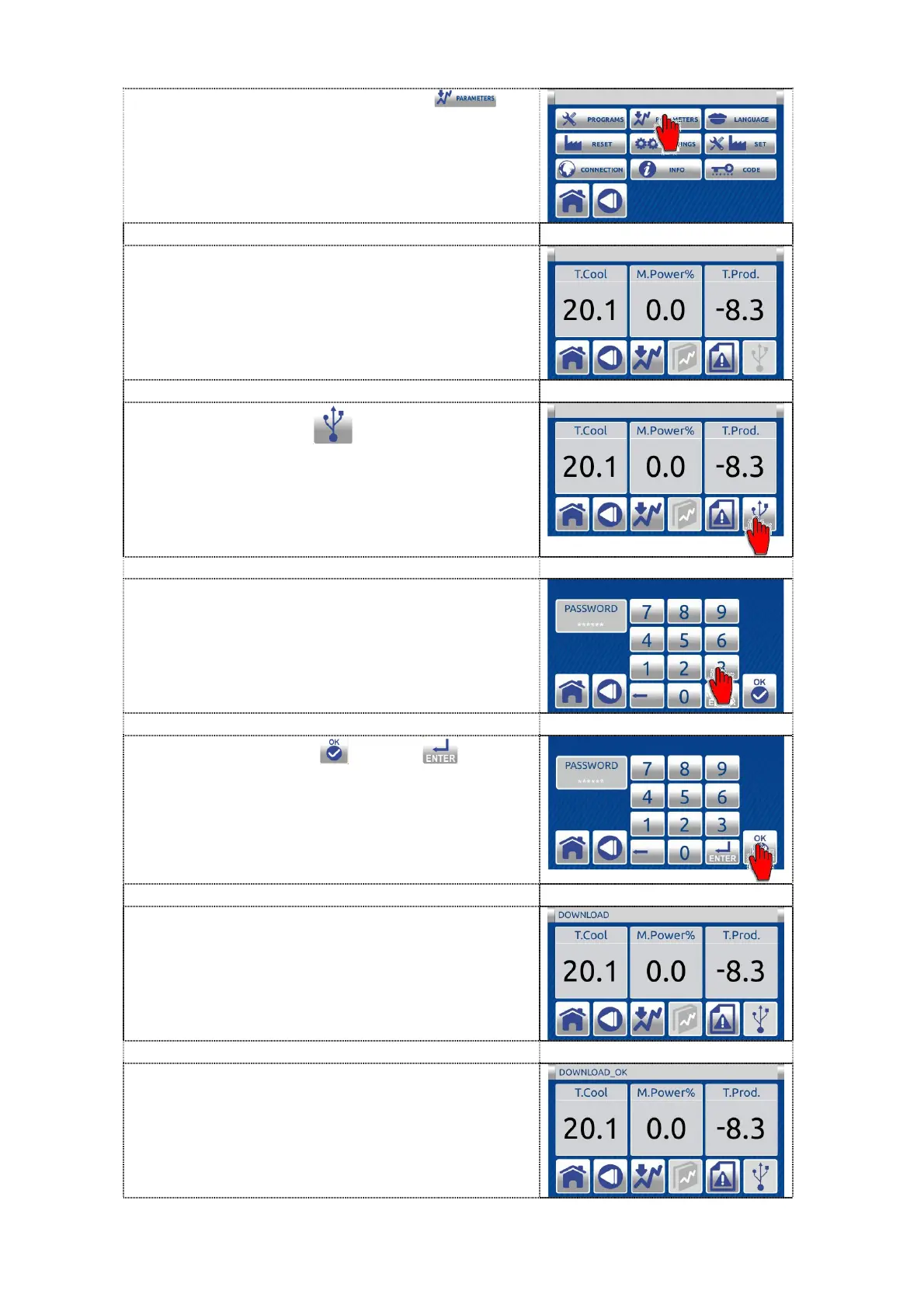
3. Press the PARAMETERS button
to
enter the PARAMETERS screen.
4. Insert the USB key into the relevant USB
port.
5. Press USB button to enter in the
PASSWORD screen.
6. Enter the password - user code 333333.
7. Press the confirem or enter button
to lock the access to operation on the
machine.
8. On the message bar appears message
DOWNLOAD.
9. When the download is complete appears on
the message bar message DOWNLOAD
OK. Pull out the USB key and send data to
VALMAR GLOBAL company.



 To Next Page