88
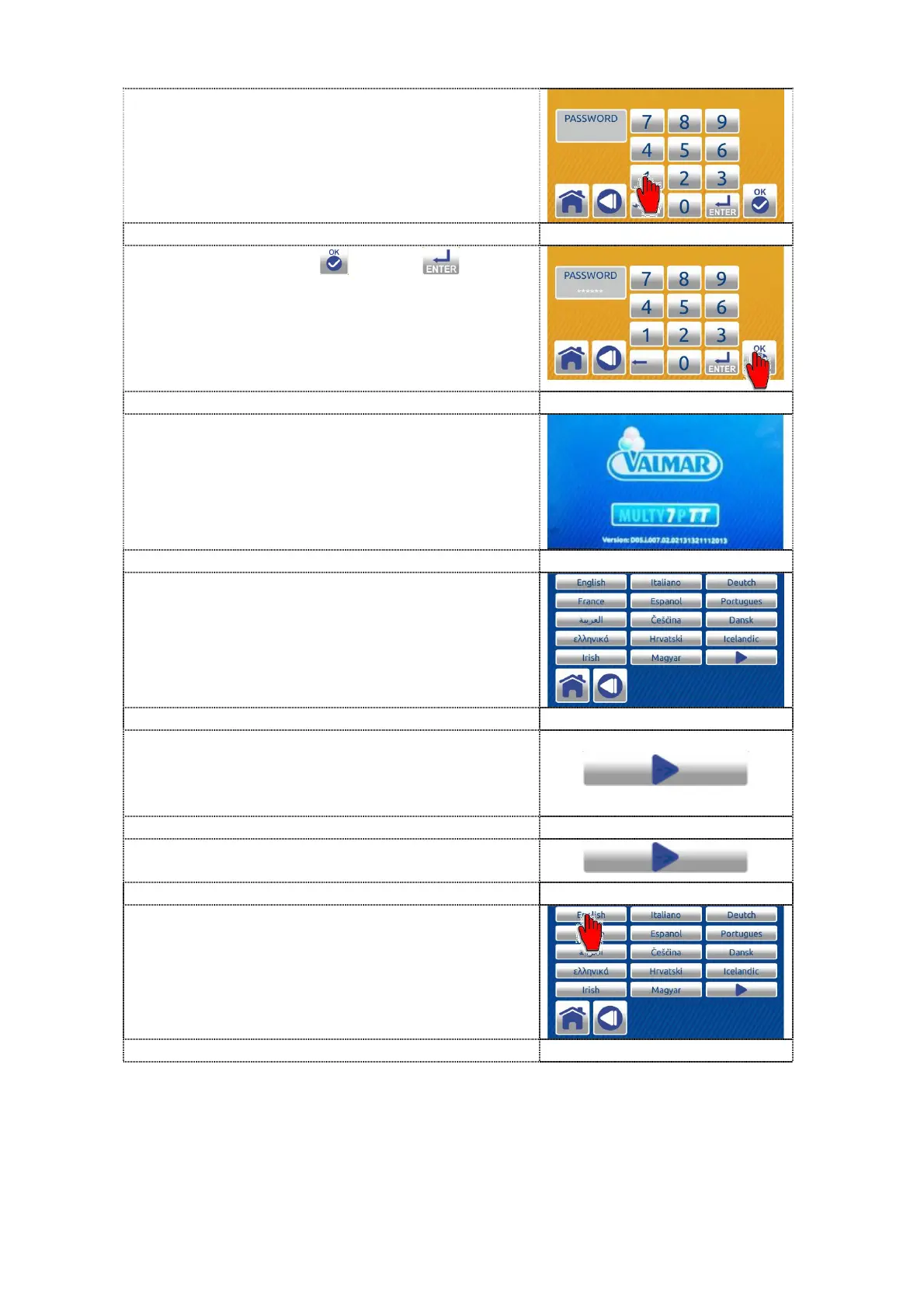
4. Enter the password - user code 1111111.
5. Press the confirem or enter button.
6. Wait for the software to upload.
7. After Valmar screens, the LANGUAGE
SELECTION screen is automatically
displayed.
8. Select the desired language. If it is not on
the screen, press the button to enter
language selection screen 2.
9. To return to language selection screen 1
press the button
10. Press the button corresponding to the
desired language. The notice - confirm
screen is displayed.



 To Next Page