ValueHD Corporation
27
options, Optional items: Low, Normal, High
Fast Zoom: Optional items: On, Off
L/R Set: Optional items: STD, REV
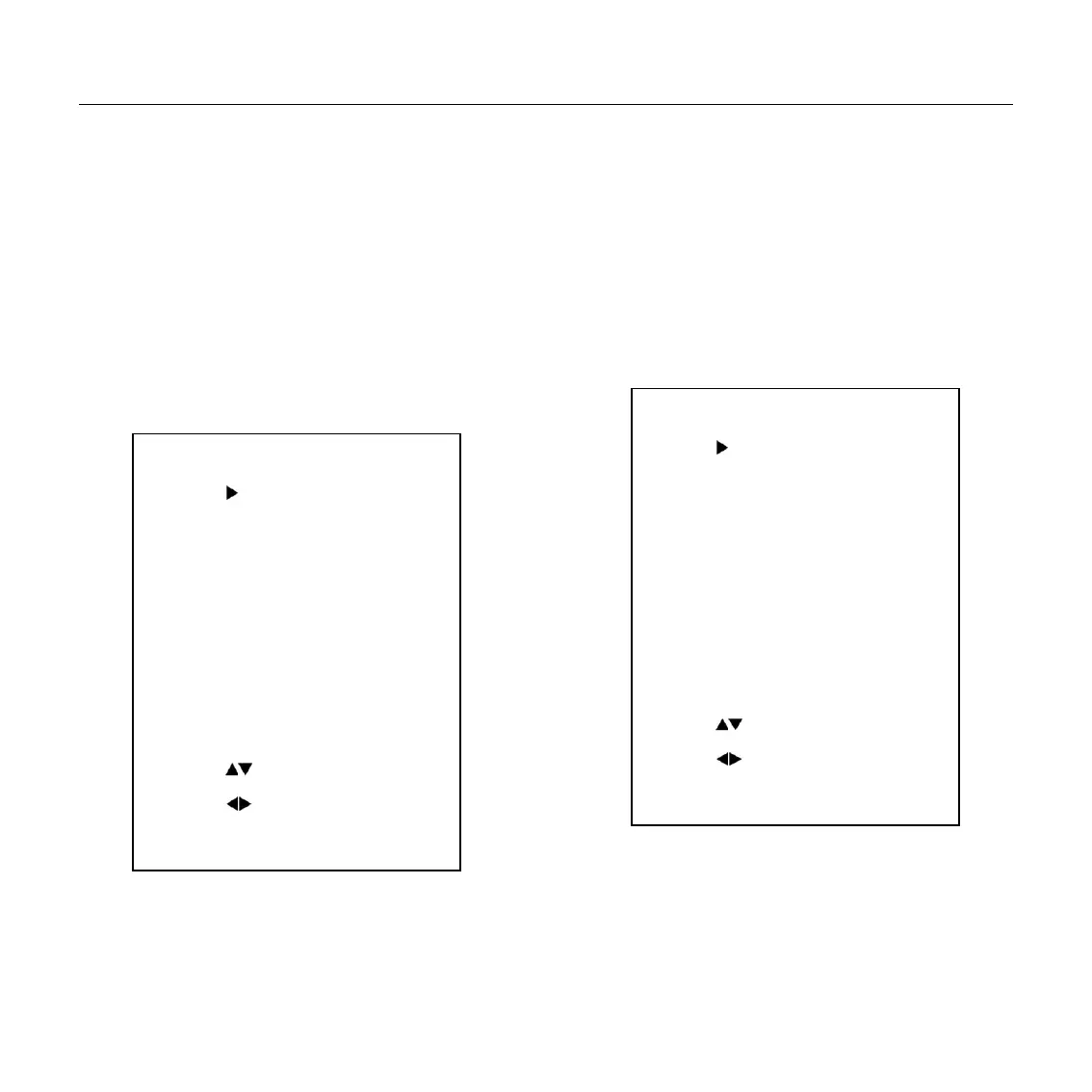
6. NOISE REDUCTION
Move the cursor to the Noise Reduction item in
the main menu and press [home] button, NOISE
REDUCTION menu appears, as shown in the
following figure.
NR2D-Level: 2D noise reduction. Optional
items: Off, Auto, 1 ~ 5
NR3D-Level: 3D noise reduction. Optional
items: Off, 1 ~ 8
D-HotPixel: Dynamic bad points, Optional
items: Off, 1 ~ 5
7. SETUP
Move the cursor to the Setup item in the main
menu and press [home] button, SETUP menu
appears, as shown in the following figure.
Language: menu language, Optional items: EN,
Chinese, Rssian
Protocol: Control protocol type. Optional items:
AUTO, VISCA, PELCO-D, PELCO-P
V_Address: Protocol address, To be decided
SETUP
Language EN
Protocol VISCA
V_Address 1
V_AddrFix Off
Net Mode Serial
Baudrate 9600
Select Item
Change Value
[Menu] Back
NOISE REDUCTION
NR2D-Level 3
NR3D-Level 4
D-HotPixel Off
Select Item
Change Value
[Menu] Back


 To Next Page