www.vanco1.com
800.626.6445
5
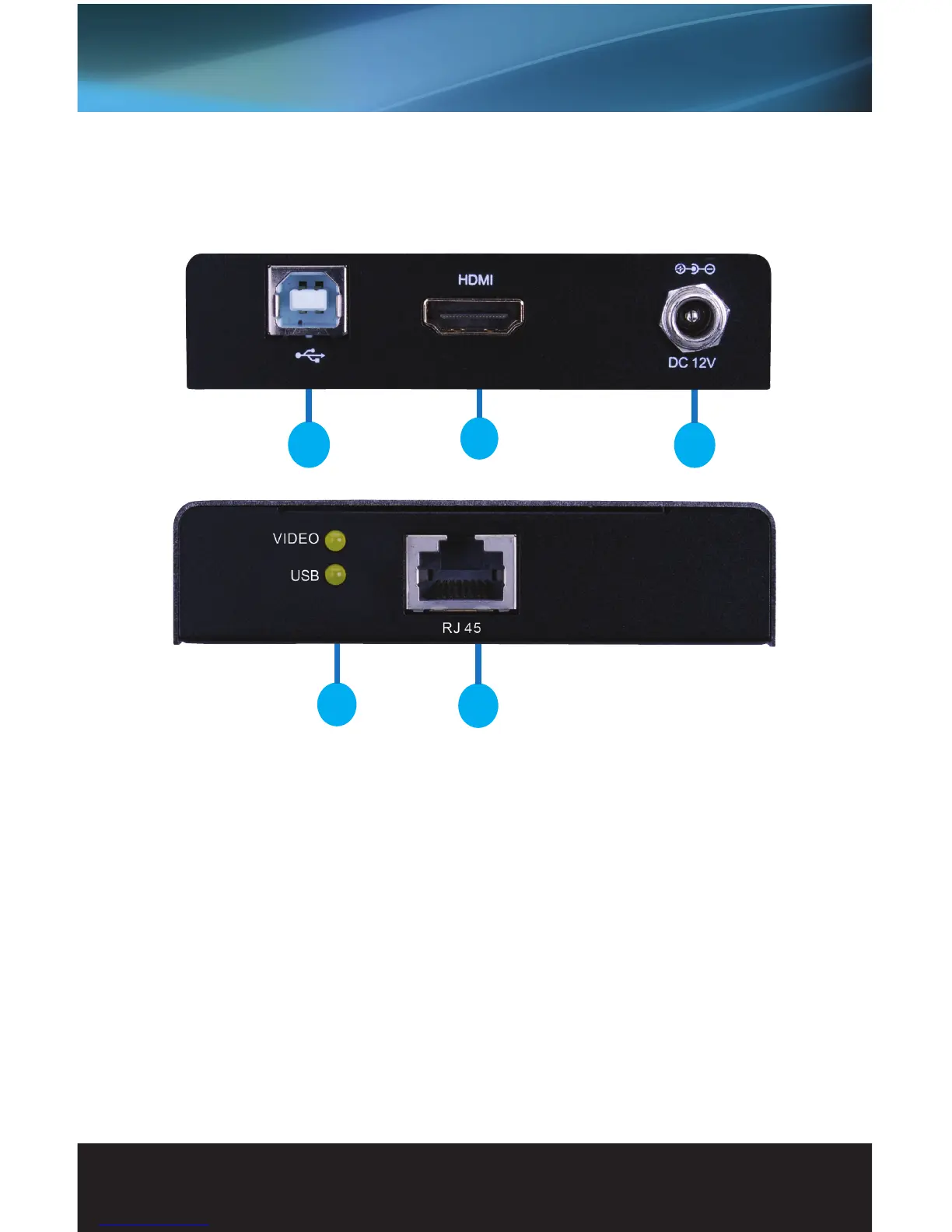
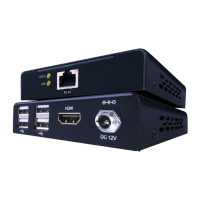
1. USB 2.0 type B port (connect the included USB cable to the source for KVM control)
2. HDMI INPUT: Connect a source such as a Security NVR/DVR, computer, NAS system, etc.
3. DC 12V: Connect the included power supply to power the extender unit (Powering this unit up
requires no power supply needed at the RX unit)
4. STATUS LEDs: “Video” illuminates when a signal is being received from the source; “USB” illuminates
when USB port is connected to a compatible source
5. RJ45 PORT (connect a single home run Cat5e/6 cable
PANEL DESCRIPTIONS
EVEXKVM1-TX (Transmitting Unit)
4
5
1
2
3


 To Next Page