EasyManua.ls Logo

Vanco Evolution - User Manual

Vanco Evolution
16 pages
Print Icon
To Next Page IconTo Next Page
Loading...
Vanco Part Number
EVEXFBR1
HDMI® Extender over
Fiber with IR and RS-
232
www.vanco1.com • 800.626.6445
HDMI® EXTENDER
over Fiber with IR and RS-232

Questions and Answers

Summary

Safety and Warnings

General Safety Warnings

Lists critical safety precautions including avoiding water, heat, and ensuring proper ventilation.

Cautionary Notes

Highlights important considerations for safe operation, like unplugging during storms and using specified accessories.

Product Overview

Introduction

Explains the EVEXFBR1 HDMI extender functionality and purpose for 4K HDR signals over fiber optic cables.

Package Contents

Lists all items included in the EVEXFBR1 product package, such as transmitter/receiver units and accessories.

Specifications

Panel Descriptions

Transmitting Unit Ports

Details the ports and indicators on the EVEXFBR1 transmitter unit (TX).

Receiving Unit Ports

Details the ports and indicators on the EVEXFBR1 receiver unit (RX).

Control Type Setup

Connection and Operation

Connection Diagram

Visual guide illustrating how to connect the source, display, and extender units.

Connect and Operate

Provides step-by-step instructions for connecting and powering on the EVEXFBR1 extender set.

IR Pass-Through

IR Receiver and Blaster Placement

Illustrates correct and incorrect placement for IR blasters and describes IR receiver usage.

IR Control Scenarios

Details how to connect IR components for controlling the source and the display.

Important Notices

Trouble-Shooting

Warranty and Support

Safety and Notice

Outlines essential safety precautions and general notices for product use.

Limited Warranty

Details the warranty period, coverage, and conditions for the EVEXFBR1 product.

Technical Support

Provides contact information and guidance for obtaining technical assistance.

Liability Statement

Outlines the manufacturer's disclaimer of liability for product use and modifications.

Overview

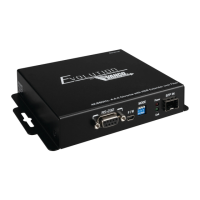
The Vanco EVEXFBR1 HDMI Extender is a device designed to extend 4K HDR video and audio signals over long distances using fiber optic cables, while also providing bi-directional IR and RS-232 pass-through for control. This extender is suitable for applications requiring high-resolution HDMI extension over extreme distances.

Function Description:

The EVEXFBR1 system consists of two units: a transmitting unit (EVEXFBR1-TX) and a receiving unit (EVEXFBR1-RX). The transmitting unit captures the HDMI input and control signals, then sends them over fiber optic cables. The receiving unit equalizes the transmitted HDMI signal and reconstructs the IR signals for the display. Both units require external power.

Important Technical Specifications:

  • HDMI Compliance: HDMI 2.0a
  • HDCP Compliance: HDCP 2.2
  • Video Bandwidth: Single-link 594MHz (18Gbps)
  • Video Support: HDR 4K@60Hz (4:2:0 10-bit color) / 4K@60Hz (4:4:4 chroma sampling)
  • Audio Support: Surround sound (up to 7.1ch) or stereo digital audio
  • Transmission Range:
    • 984ft/300m over multi-mode fiber optic cables
    • 6.2mi/10km over single mode fiber optic cables
  • IR Pass-thru: Bi-directional (20kHz to 60kHz)
  • RS-232 Support: Yes, for control via PC or third-party control systems
  • ESD Protection: Human body model ±15kV (air-gap discharge) & ±8kV (contact discharge)
  • Power Supply: 12V, 2A (DC 12V)
  • Power Consumption: Max 10W
  • Operating Temperature: 0~40°C (32~104°F)
  • Storage Temperature: -20~60°C (-4~140°F)
  • Relative Humidity: 20~90% RH (no condensation)
  • Dimensions: 4.9" W x 4.4" H x 1.1" D
  • SFP Modules: Multi-mode SFP modules are included.

Usage Features:

  • Connectivity:
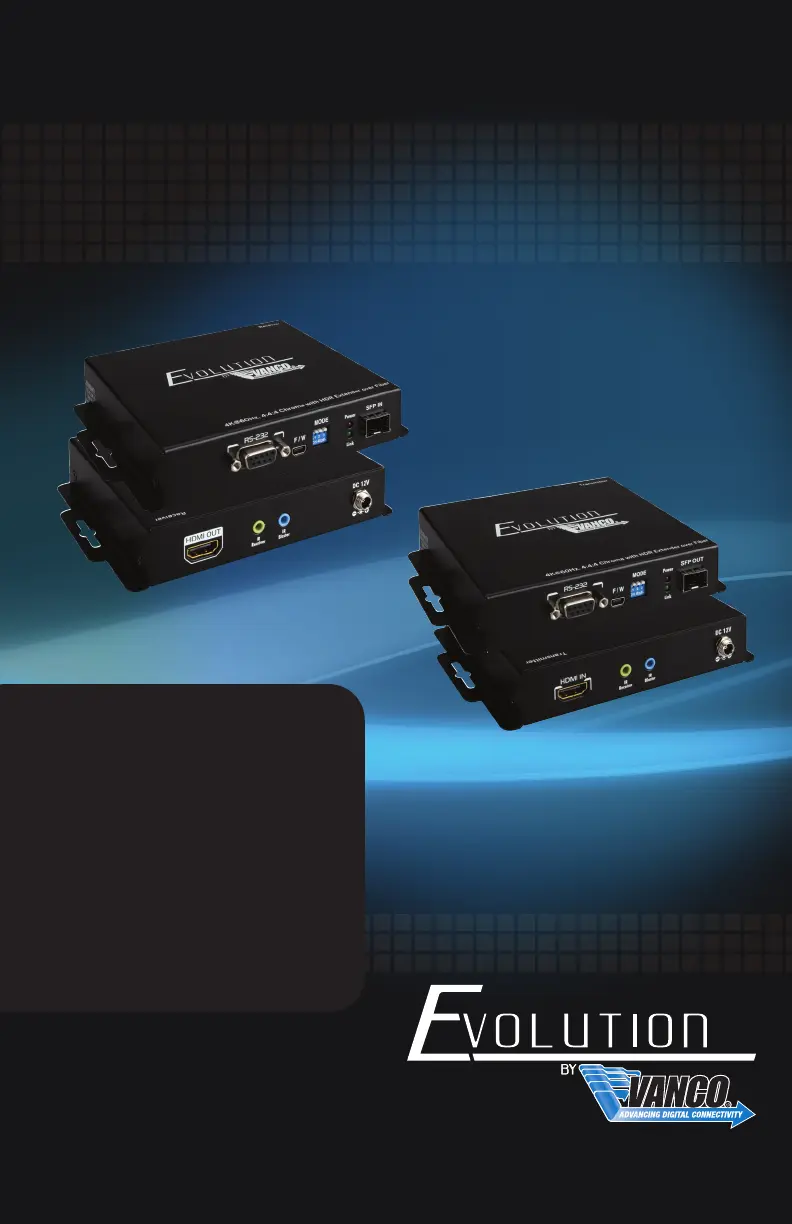
    • Transmitting Unit (EVEXFBR1-TX): Features HDMI IN, RS-232, F/W (Firmware Update Port), MODE (DIP Switch), SFP OUT, IR IN (Receiver), IR OUT (Blaster), and DC 12V power input.
    • Receiving Unit (EVEXFBR1-RX): Features HDMI OUT, RS-232, F/W (Firmware Update Port), MODE (DIP Switch), SFP IN, IR IN (Receiver), IR OUT (Blaster), and DC 12V power input.
  • Installation:
    1. Connect an HDMI source (e.g., Blu-Ray Player, game console, A/V Receiver, Cable or Satellite Receiver) to the HDMI IN of the transmitting unit.
    2. Connect an HDMI display (e.g., HDTV, HD Projector) to the HDMI OUT of the receiving unit.
    3. Connect fiber optical cables with modules from the SFP OUT of the transmitting unit to the SFP IN of the receiving unit.
    4. Plug in both the transmitting and receiving units using the included 12V DC power supplies.
    5. Power on all devices in the system.
  • IR Control:
    • The system supports bi-directional IR pass-through, allowing control of the source from the display location or the display from the source location.
    • IR Receiver (IR RX): This pigtail is where you point your remote. For source control, place it at the display. For display control, place it at the source.
    • IR Blaster (IR TX): This pigtail sends the IR signal to the device being controlled. For source control, plug into the IR TX port of the transmitter and place in front of the source's IR eye. For display control, plug into the IR TX port of the receiver and place in front of the display's IR eye.
    • Important IR Placement: Ensure the IR Blaster is not placed directly over the IR eye/window of the device, as the signal cannot pass through the double-sided tape. Instead, place it to the side, top, or bottom, with the tip facing the IR eye. Only use the included IR accessories.
  • RS-232 Control: Connect to the RS-232 port for control via a PC or third-party control system.
  • DIP Switch (MODE) Settings:
    • PIN #1 (ON): For system firmware update.
    • PIN #1 (OFF): Default and normal setting.
    • PIN #2 (ON): Reserved for future use.
    • PIN #2 (OFF): RS-232/IR function ON (default).
    • PIN #3 (ON): Disable IR function.
    • PIN #3 (OFF): Enable IR function (default).
    • Both TX and RX units must have the same DIP switch settings.
  • Troubleshooting:
    • Ensure source and display resolutions are the same for best results.
    • If no audio/video, check TV setup menu for audio/video settings.
    • Perform a "hot-plug" sequence: disconnect all HDMI and power cables, turn on the source, plug HDMI into source output, power up Vanco unit, plug HDMI into Vanco input, turn on display, plug HDMI from receiver to display.
    • If IR control issues, verify IR RX pigtail is plugged into receiver and pointed at display, and IR TX pigtail is attached to sender and pointed at source.
    • Vanco HDMI cables are strongly recommended.
    • Ensure proper termination of fiber optical cables.
    • The quality of fiber optical cables affects transmission range and picture quality; Cat6 is recommended.
    • If the HDMI display has multiple inputs, HDMI input #1 often yields better performance.

Maintenance Features:

  • Cleaning: Only clean the unit with a dry cloth. Always unplug power before cleaning.
  • Firmware Updates: Any available firmware updates will be provided on the EVEXFBR1 product page on www.vanco1.com. The F/W port is used for updates.
  • Safety:
    • Do not expose to water, moisture, or excessive humidity.
    • Do not install in confined spaces without adequate ventilation.
    • Do not obstruct ventilation openings to prevent overheating.
    • Do not install near heat sources or flames.
    • Protect the power cord from being walked on or pinched.
    • Use only manufacturer-specified accessories.
    • Refer all servicing to qualified personnel.
    • A surge protector is strongly recommended.
  • Warranty: Vanco provides a two-year limited warranty against defects in materials and workmanship from the date of purchase. The warranty does not cover damage due to accident, unauthorized alterations, improper repair, inadequate maintenance, or misuse. Proof of purchase is required for warranty service.

Vanco Evolution Specifications

General IconGeneral
BrandVanco
ModelEvolution
CategoryExtender
LanguageEnglish

Related product manuals