18
Settings
The settings include Picture Setting, System Setting and Other Setting.
Picture Setting:
Flip the image, adjust the image size / image colour / aspect ratio / picture mode.
System Setting:
Set the language of the projector, update the software of the projector with a USB disk,
restore the projector to factory settings and set the time duration for the projector to
power off automatically.
Other Settings:
Set the time duration for a pop-up window to disappear, connect the projector to Wi-Fi
and Bluetooth.
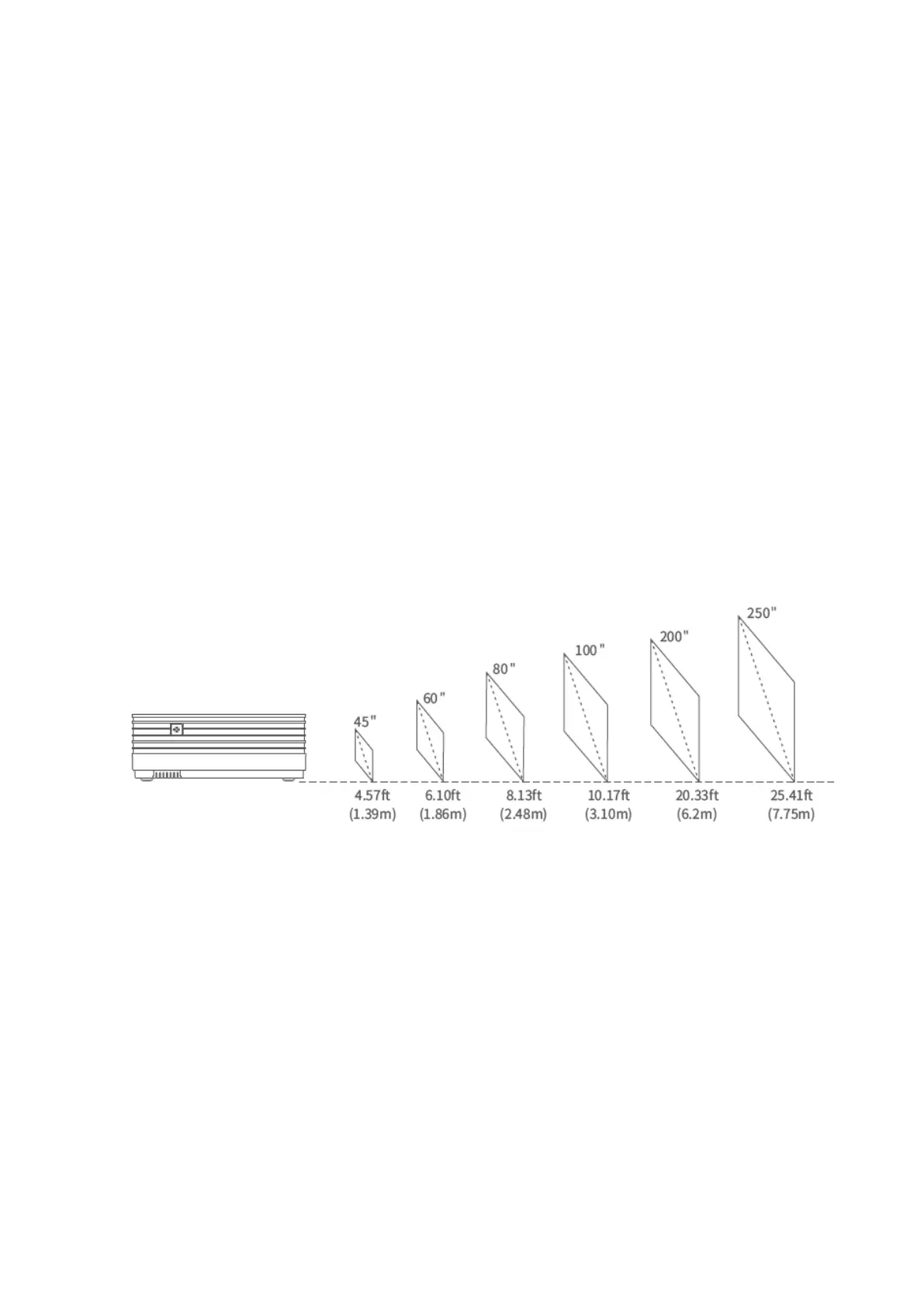
Projection Distance and Size
* The recommended projection distance varies with different projection contents.
Please adjust the distance between the wall/screen and the projector properly as
needed.
* Ambient darkness will improve the clarity of the projected images.













 To Next Page