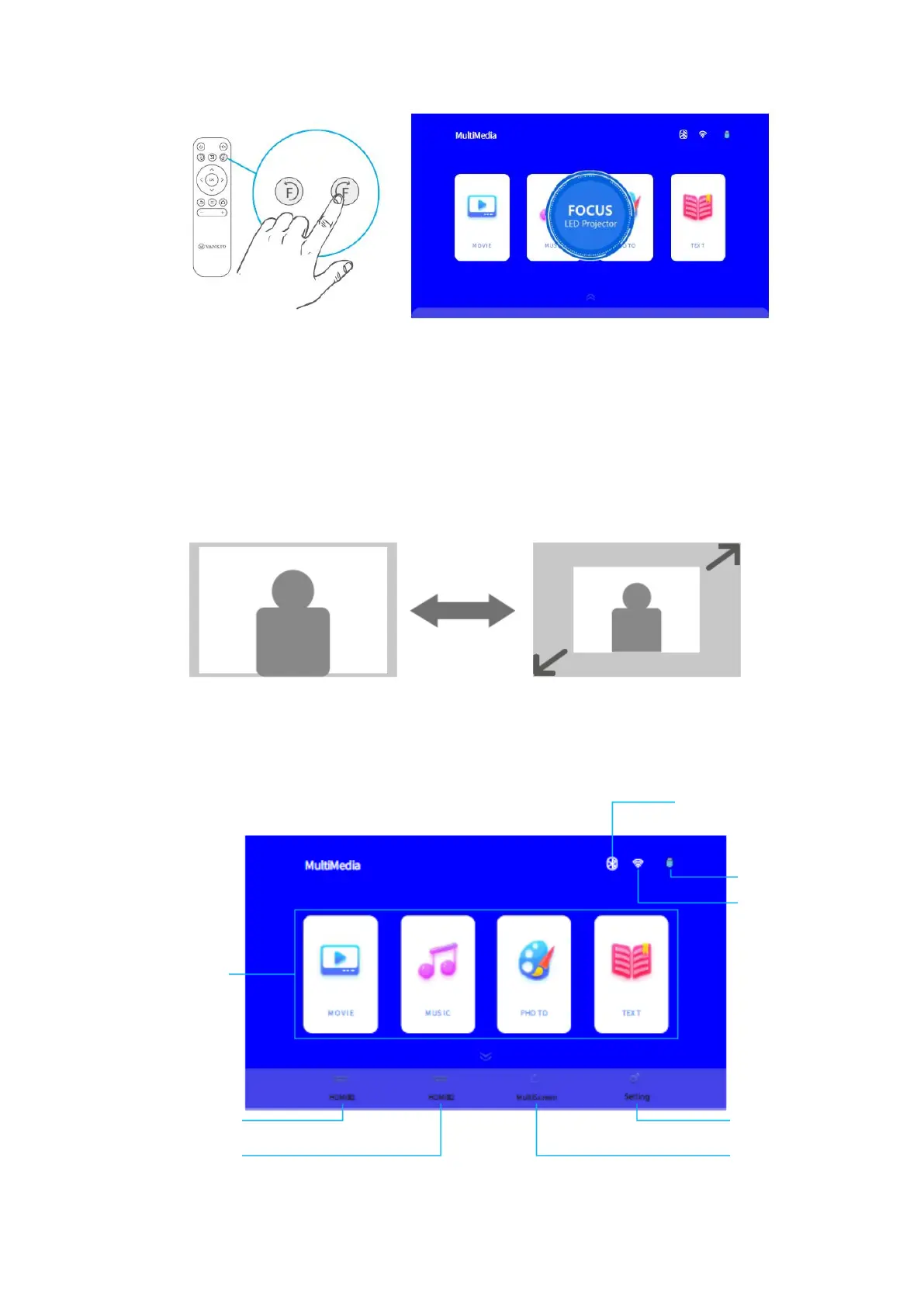
8
Tip: You can also press and hold the button on the projector to centre the focus
interface, then press the Up and Down buttons on it to adjust the focus.
3. Go to the Homepage > Down Button > Setting > Picture Setting > Image Scaling to
enlarge or reduce the image size.
4. Homepage Overview
The projector will enter the homepage after you will power it on and select the language
for the first time use. Press the down button to show more options as below.













 To Next Page