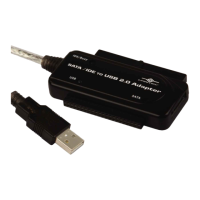
Need help?
Do you have a question about the Vantec CB-U320GNA and is the answer not in the manual?
Vantec introduces the USB 3.0 To Dual Gigabit Ethernet Network Adapter for dual gigabit connectivity.
Lists the key features of the USB 3.0 Dual Gigabit Ethernet Network Adapter.
Specifies the operating systems and hardware requirements for the adapter.
Lists the items included in the product package.
Provides step-by-step instructions for physically connecting the adapter.
Detailed steps for installing drivers on Windows operating systems.
Detailed steps for installing drivers on Mac OS operating systems.
Steps to check the adapter installation status in Windows Device Manager.
Steps to check the adapter installation status in Mac OS System Report.
 General
| Model | CB-U320GNA |
|---|---|
| Interface | USB 3.0 |
| Data Transfer Rate | Up to 5 Gbps (USB 3.0) |
| Type | USB 3.0 to SATA Adapter |
| Ports | 1 x USB 3.0, 1 x SATA |
| Supported Drives | 2.5" SATA HDD/SSD |
| Power Supply | External power adapter for 3.5" drives |
| OS Compatibility | Windows, macOS, Linux |


 To Next Page