Page 5
3 COM51 Setup
Verify all COM system software is current.
Visit https://www.vantiva.com/video-multi-client-solutions-documentation-library for the latest
available software, and refer to the COM3000 Integrator’s Manual for instructions to update these
components.
3.1 Configuring the QAM
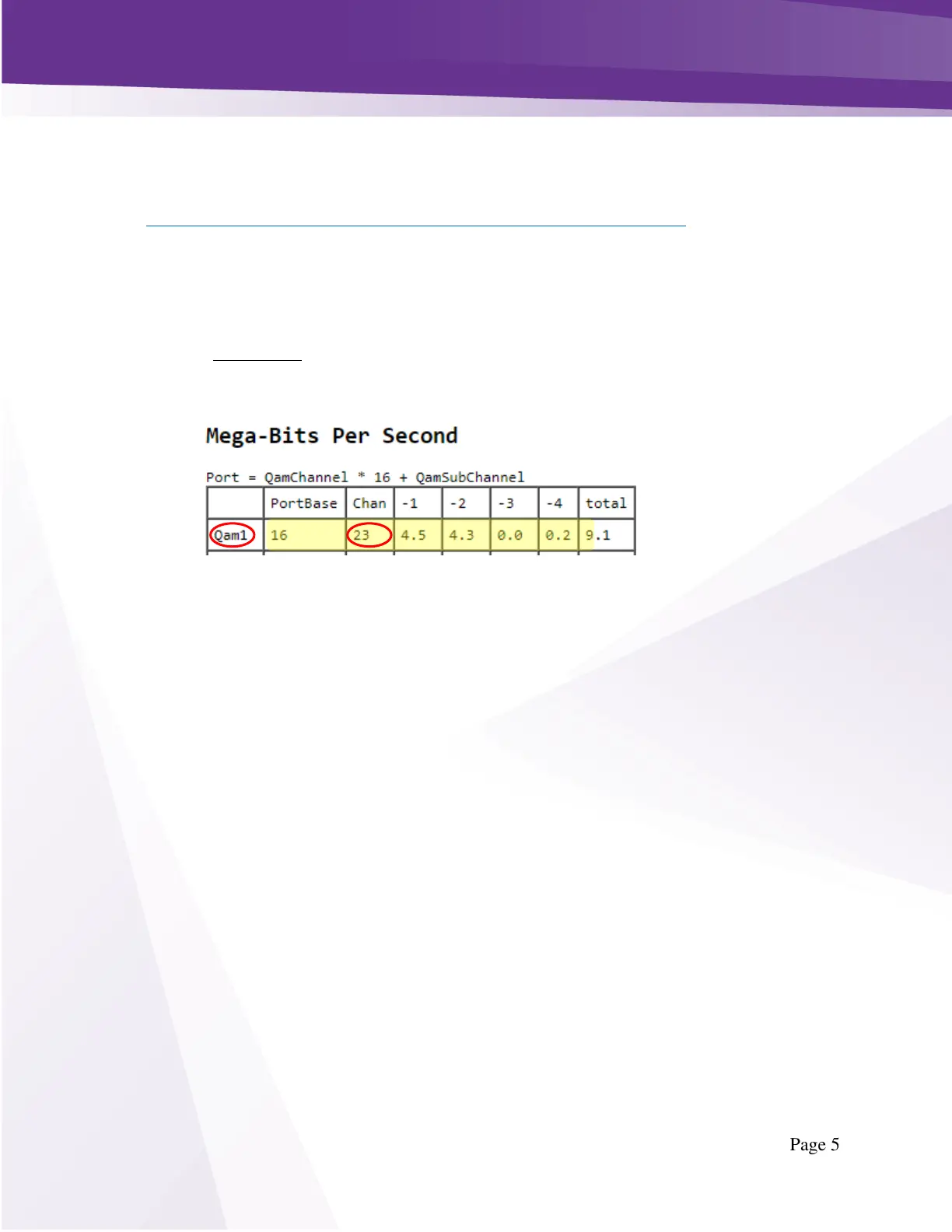
The boxes use RF channel 23 to receive configuration data, guide data and to receive software updates
when available.
RF channel 23 must always be the first RF channel in the lineup corresponding to QAM index 1, as
shown below in Figure 1 - QAM20 output.
Ports 18 and 19, channels 23-2 and 23-3 are disabled when sending a software update. Software
updates should be infrequent and can be scheduled during off-peak hours, but it is our recommendation
to place lower priority channels on these carriers as the video service may be interrupted for a short
time during a software update event.



 To Next Page